Key Takeaways
Choosing among IPTV plans is easier when you look beyond channel counts. Focus on the content your household watches, the devices you use, the service terms, and the provider’s approach to reliability and legality.
- Check live channels, on-demand content, and catch-up options against your actual viewing habits.
- Confirm internet speed, device compatibility, stream limits, and app support before subscribing.
- Compare the full cost of monthly, quarterly, and annual plans, including renewal terms.
- Use a trial period to test picture quality, guide usability, and performance at busy times.
- Prefer transparent providers with clear licensing information, secure payment practices, and accessible support.
Understand how IPTV plans work
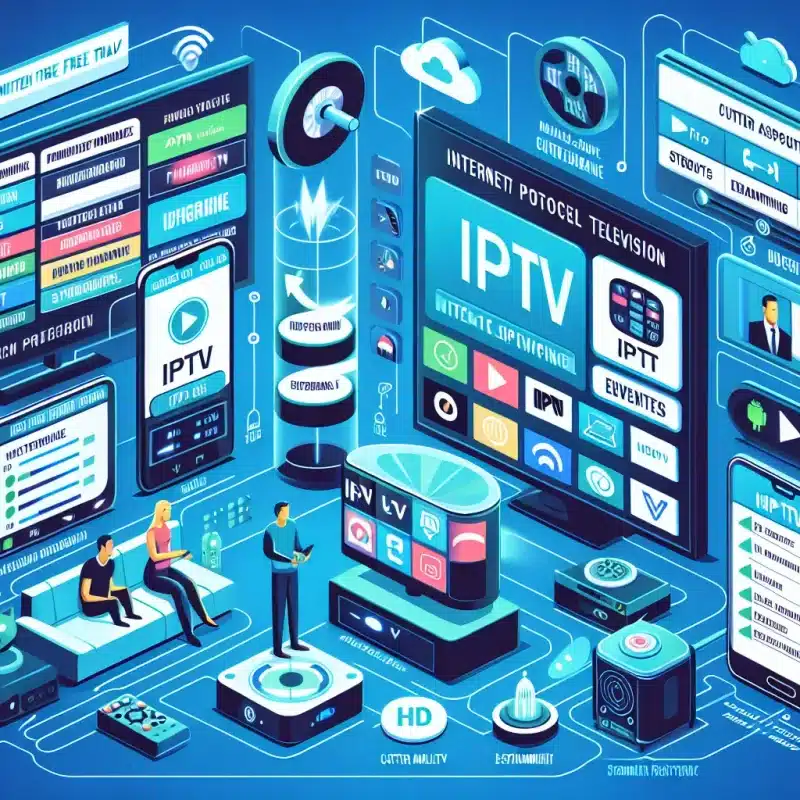
IPTV delivers television programming through an internet connection rather than a traditional cable or satellite signal. That change affects how channels arrive, how services handle demand, and what equipment you need at home. Before comparing packages, it helps to understand which features are included and which depend on your connection. A useful starting point is this IPTV technology guide, particularly if you are moving away from cable for the first time.
What IPTV is and how streaming delivery differs from cable
Internet Protocol Television sends video over an IP network, much like other internet-based video services. Cable television generally arrives through a dedicated cable connection, while IPTV depends on the relationship between your home network, the provider’s delivery system, and the playback device. This can make IPTV more flexible, but it also means your home internet connection plays a larger role in everyday viewing.
The difference is practical rather than merely technical. You may be able to watch on several supported screens, move between live programming and on-demand video, and choose a subscription without the same hardware arrangement used by a cable package. The quality of that experience still depends on the service’s terms and technical performance.
Live TV, video-on-demand, and catch-up features
Most IPTV plans combine several kinds of viewing. Live TV follows a scheduled broadcast, video on demand lets you select a program from a library, and catch-up viewing can allow recently aired content to be watched later. These features are not interchangeable, so check the service description instead of assuming that a large live channel list also means a large on-demand library.
A household that watches news and sports may care most about live access and accurate schedules. Someone who watches series at irregular times may place more value on VOD and catch-up tools. IPTVON.ME describes its offering around live channels and video-on-demand content, which fits households looking for both scheduled programming and a library-based option.
Internet speed and bandwidth requirements
Your connection should have enough capacity for the number of streams running at once, not just for one television. Video quality, network congestion, Wi-Fi strength, and other household activity all affect the headroom available to IPTV. A wired connection or a strong modern Wi-Fi signal can also make a difference when a television is far from the router.
Providers may publish a suggested speed, but treat that figure as a starting point rather than a guarantee. A streaming speed guide can help you think about connection testing, while a trial gives you a more realistic view of how the service behaves on your own network.
Factors that affect streaming quality
Buffering can come from several places: a weak home connection, overloaded Wi-Fi, a busy provider server, an unsuitable app, or a device that struggles with the chosen resolution. Picture quality can also vary between channels, so test the types of programming you actually watch rather than relying on one short clip.
Consistency matters more than peak quality for many households. Watch at different times, including an evening when several people are online, and notice whether playback starts promptly, stays synchronized, and recovers gracefully after a connection interruption.
Compare channel lineups and content options
A long channel list is only useful when it contains programming your household will watch. Start with the categories that matter most, then verify names, regions, languages, and availability in the provider’s current guide. It is also worth checking whether the listed content is live, on demand, or available only for a limited period.
Think of the lineup as a fit exercise rather than a numbers contest. The best IPTV plans for one home may be a poor match for another if one family wants local news and sports while another mainly watches international channels and stored shows.

Local channels, sports, news, and international programming
Local channels can be especially sensitive to location, licensing, and broadcast rights. Sports coverage may also differ by territory, event, and blackout rule. If international programming is important, look for the languages and regions you need instead of assuming that a general claim about worldwide access covers every specific channel.
Make a short list before you compare providers. Include the local stations you watch, the sports competitions that matter, your preferred news sources, and any international programming used by members of the household. Then confirm each item through the current channel guide or support team.
Premium networks and video-on-demand libraries
Premium networks and VOD libraries should be evaluated separately from ordinary live channels. Ask whether the library includes full seasons, recent releases, older films, or only a rotating selection. Also check how titles are organized, since a large library can still be frustrating if search and categories are poor.
Do not treat a high content count as proof of value. A smaller, clearly described library may serve your home better than thousands of titles that are difficult to find or unavailable in your region.
Regional restrictions and content availability
Content rights can vary by country, state, or even individual event. A channel that appears in a general promotional list may not be accessible everywhere, and availability can change when agreements change. Read regional terms carefully and ask direct questions before paying for a long subscription.
The same caution applies to catch-up and VOD content. These features may have separate restrictions from live channels, so confirm the exact combination you expect to use.
Matching the lineup to your household’s viewing habits
A simple household inventory often reveals what matters. Count the people who watch regularly, note the programs they return to, and distinguish must-have channels from nice-to-have additions. This keeps the decision grounded in viewing patterns instead of marketing volume.
For a practical comparison, write down three priorities for each viewer and compare the overlap. A plan that serves the shared priorities well can be more useful than one with a much larger but poorly matched catalog.
Evaluate IPTV pricing and subscription terms
Price is only one part of the subscription decision. The real cost includes the billing interval, number of permitted devices, renewal behavior, refund conditions, and any equipment or app costs outside the plan. Read the checkout page and terms together so that an attractive introductory price does not hide an inconvenient renewal.
A transparent provider should make these details reasonably easy to find. Guides on comparing IPTV subscription costs can help you organize the comparison, but the current provider terms should always take priority.
Monthly, quarterly, and annual plan costs
Monthly plans offer flexibility and limit your initial commitment. Quarterly and annual options may reduce the effective monthly cost, but they also require more confidence in the service and its support. Compare the total payment rather than simply multiplying a monthly figure, and check whether the billing interval renews automatically.
If you are new to a service, a shorter plan can be a sensible first step. Once the content, quality, and support meet your expectations, a longer term may be worth considering.
Free trials, discounts, and introductory pricing
A trial should give you enough time to test more than login access. Watch several channels, try the VOD library, use the guide, and test the service during the evening. Discounts are useful only when you understand the price that applies after the introductory period.
Keep a record of the trial end date and the renewal price. That small habit prevents a temporary offer from becoming an unexpected charge.
Device limits and simultaneous streams
A subscription can allow installation on several devices while limiting how many may stream at the same time. Those are different conditions. A household with a television, tablet, and two active viewers should check both the supported-device policy and the simultaneous-stream limit.
The following comparison points are especially useful when reading plan details:
| Plan detail | Why it matters | What to confirm |
|---|---|---|
| Billing interval | Determines commitment and total payment timing | Monthly, quarterly, or annual renewal |
| Device access | Shows where the account can be installed | Supported screens and activation rules |
| Simultaneous streams | Determines how many people can watch together | Connection limit during shared use |
| Refund terms | Sets expectations if the service is unsuitable | Eligibility window and exclusions |
These details often explain why two plans with similar channel descriptions have different prices. Choose based on how your household will actually use the account, not on the headline package alone.
Refund policies, renewals, and cancellation terms
Look for a clearly stated refund window, the events that make a refund ineligible, and the process for requesting one. Renewal terms should explain when payment occurs and whether cancellation stops the next charge or ends access immediately. Save confirmation emails and receipts in case you need to refer back to them.
If the policy is vague, support cannot answer basic billing questions, or cancellation requires an unusual process, treat that as a reason to pause. Clear terms are part of the service experience.
Check device compatibility and user experience
A good lineup can still disappoint if the app is awkward on your main screen. Check compatibility before subscribing, especially if your household uses a mix of smart televisions, streaming sticks, phones, tablets, and computers. The device list should be specific enough to tell you whether your preferred operating system and playback method are supported.
Interface quality matters as well. You will spend time searching, changing channels, reading schedules, and switching between live and on-demand content, so small usability problems become noticeable quickly.

Smart TVs, streaming sticks, mobile devices, and computers
Start with the device where most viewing will happen. Confirm the television model or streaming platform, then check whether the service provides an official app, login instructions, or a supported player method. A service that works well on a phone may not offer the same experience on a large television.
It is also wise to test secondary screens. Mobile access can be useful for travel or short viewing sessions, while a computer may be a fallback when the main television is occupied.
Supported operating systems and IPTV apps
Operating-system support can affect installation, updates, and playback stability. Check the current app instructions rather than relying on an old forum post, and avoid downloading software from unverified sources. If a provider supports more than one player, compare their navigation and login requirements during the trial.
The goal is a setup you can maintain without constant troubleshooting. Clear instructions and responsive support are valuable when an app update or device change interrupts normal viewing.
Electronic program guides and search tools
An electronic program guide, or EPG, should make it easy to see what is on now and what is coming next. Check whether listings are accurate for your time zone and whether you can move between channels without losing your place. Search should cover both live programming and the on-demand library where applicable.
Try finding a few familiar programs instead of merely opening the guide. That test quickly shows whether categories, filters, and search results are practical for everyday use.
Multi-screen viewing and parental controls
Multi-screen viewing is useful in busy homes, but it depends on the plan’s stream limit and the network’s available capacity. Test two viewers at once if that is part of your routine. Also check whether parental controls are available and whether they apply to live channels, VOD, or both.
These features are less about technical specifications than household confidence. Everyone should know which screens are supported and how access is managed before the subscription becomes part of the daily routine.
Assess reliability, security, and legal considerations
Reliability involves more than a picture that looks sharp for five minutes. Consider startup time, buffering, guide accuracy, support responsiveness, and performance during busy viewing periods. Security and legality deserve the same attention because a cheap plan is not good value if it exposes payment details or lacks clear rights information.
A useful provider selection checklist brings these questions together: licensing, availability, quality testing, device support, pricing transparency, and privacy practices. Use it as a prompt for questions rather than as a substitute for reading the provider’s own terms.
How server stability affects buffering and downtime
A stable home connection cannot compensate for every problem upstream. Provider infrastructure, traffic levels, maintenance, and regional routing can all influence playback. Test several channels and repeat the test at peak evening hours, when weaknesses are more likely to appear.
Do not confuse one successful stream with dependable service. Reliability is a pattern observed across different times, devices, and content types.
Privacy policies, payment security, and account protection
Read the privacy policy to see what information is collected, how it is used, and how support handles account details. Use a unique password, avoid sharing login credentials casually, and verify that payment pages use secure connections. A provider should explain its billing and account practices without forcing you to guess.
A VPN may be relevant to some users for privacy or network-management reasons, but it does not make unauthorized content legal. It is also worth checking whether a provider’s apps and support materials explain VPN compatibility accurately.
Identifying legitimate IPTV services
Legitimate services should provide identifiable business information, understandable terms, support contact options, and a clear explanation of content rights or licensing. Availability should be described carefully rather than promised without qualifications. Payment, cancellation, and refund procedures should be visible before you commit.
Legal status can depend on the provider, the content, and your location. When in doubt, ask how the service obtains the rights to distribute the channels and programs you intend to watch.
Warning signs of unreliable or unauthorized providers
Be cautious when a provider makes extraordinary promises but offers little information about the company, billing, or support. Pressure to pay immediately, unclear trial conversions, copied branding, and constantly changing contact details are also reasons to step back.
Other warning signs include an app download from an unfamiliar source, a channel list with no regional explanation, and support that avoids direct questions. A calm comparison is safer than rushing toward the largest advertised number.
Choose and set up the right IPTV plan
By this point, the decision should be based on a small set of practical requirements rather than a single headline feature. Write down the screens, viewers, content categories, budget, and acceptable commitment length. Then compare only services that meet those basics and can explain their terms clearly.
IPTVON.ME positions its service around a broad live-channel and VOD offering with an emphasis on streaming quality and customer support. Those are useful criteria to examine, but you should still test how the service performs in your own home before making a long-term choice.
Creating a shortlist based on your priorities
A shortlist of two or three options is usually enough for a meaningful comparison. Record the exact plan price, content categories, device rules, stream limits, trial conditions, and support contact for each one. This makes differences visible and reduces the chance of overlooking a small but important term.
Keep your priorities ranked. If live sports is essential, it should carry more weight than a large movie count you will rarely use; if several people watch at once, stream limits may matter more than a minor price difference.
Testing performance during a trial period
Use the trial as a structured test rather than passive viewing. Try your most important channels, open the guide, search the VOD library, and watch at the times your household normally uses television. Test on the main device and at least one secondary screen if multi-device viewing matters.
A short testing routine can include:
- Watching live programming during a busy evening period.
- Switching between channels and checking whether listings are accurate.
- Playing several on-demand titles at different times.
- Testing the account on the screens your household actually uses.
After the test, write down what worked and what did not. A few minutes of reflection can reveal whether a low price is worth recurring frustration.
Setting up the service on your preferred devices
Begin with the provider’s official setup instructions and use only the apps or player methods it identifies as supported. Keep your login details private, update the device software, and place the router where the main screen receives a strong signal. If playback is inconsistent, test the network before assuming the service itself is responsible.
Set up one device first, confirm that the account works, and then add additional screens. This makes troubleshooting simpler and helps you understand how the plan handles simultaneous access.
When to upgrade, switch, or cancel a plan
Upgrade when your household genuinely needs more streams, broader device access, or a different content mix. Switch when repeated testing shows poor reliability, missing programming, weak support, or terms that no longer suit your use. Cancel before the renewal date if the service fails the standards you set at the start.
IPTVON.ME emphasizes customer support as part of its service approach, so support quality is a fair part of the evaluation. Even then, keep the decision practical: choose the plan that consistently fits your viewing habits, budget, devices, and expectations.
Conclusion
The best IPTV plans are not necessarily the ones with the longest channel lists. They are the plans that provide the right content, work reliably on your household’s devices, explain their pricing clearly, and respect privacy and content rights. Compare patiently, test before committing, and let everyday viewing needs guide the final choice.
Frequently Asked Questions
What is IPTV?
IPTV is television delivered over an internet connection rather than through a traditional cable or satellite signal. The available channels, on-demand content, and features depend on the provider and your location.
How much internet speed does IPTV need?
The required speed depends on video quality, the number of simultaneous streams, and other activity on your network. A stable connection with additional capacity is preferable to relying on the minimum advertised figure.
Can IPTV be watched on more than one device?
Many services support multiple device types, but installation access and simultaneous streams are separate limits. Check the plan terms before assuming that several household members can watch at once.
Are all IPTV channels available everywhere?
No. Channel and program availability can vary by country, region, licensing agreement, and event rights. Confirm the specific content you want in the provider’s current lineup.
What should an IPTV trial test?
Test the channels you care about, the on-demand library, guide accuracy, search, app performance, and playback during busy hours. Use the devices and network your household normally relies on.
Are IPTV services legal?
IPTV technology itself is legal, but the legality of a service depends on whether it has the appropriate rights to distribute its content. Look for transparent business details, licensing information, and clear terms.
When should I choose a longer IPTV subscription?
Consider a quarterly or annual plan only after a shorter trial or subscription has demonstrated suitable content, reliability, device support, and customer service. Review renewal and cancellation terms before committing.