Key Takeaways
A good IPTV subscription should be legal, transparent, compatible with your devices, and stable enough for everyday viewing. Compare the service itself—not just an impressive channel count—before paying for a long plan.
- Confirm that the provider is authorized to offer the content in your region.
- Check channel coverage, on-demand options, quality, and device limits.
- Test the service during a trial before choosing an extended plan.
- Protect your account, payment details, and home network.
- Cancel when support, reliability, or transparency falls short.
Understanding how an IPTV subscription works
An IPTV subscription delivers television content through an internet connection rather than through a traditional cable or satellite signal. That simple change affects how channels are accessed, how devices connect, and how much control viewers have over playback. The right service can feel much like ordinary television, but it depends more heavily on your internet connection and home network.
This guide explains the practical side of the technology without assuming specialist knowledge. For a broader introduction to understanding IPTV services, readers can also compare the terminology and setup concepts before selecting a provider.
What IPTV is and how it delivers television content
Internet Protocol Television, or IPTV, sends television streams over an IP network. A provider organizes live programming and, where offered, on-demand content on its servers; an app or compatible player then requests the selected stream and displays it on your screen. Unlike a downloaded file, a live stream arrives continuously, so connection quality matters throughout the program.
The service may use an electronic program guide, categories, search, replay, or catch-up tools around the stream. These features are not guaranteed by the word IPTV alone. They depend on the provider’s platform, the content rights it holds, and the application used to access the subscription.
IPTV subscriptions compared with cable, satellite, and streaming apps
Cable and satellite television generally use dedicated distribution networks, while IPTV uses internet delivery. That can make IPTV more portable and easier to use across compatible devices, but it also means congestion, weak Wi-Fi, or an overloaded router can affect playback. A conventional streaming app usually centers on one catalog or network, whereas an IPTV service may combine live channels with video-on-demand programming in one interface.
The comparison is therefore less about which format is universally best and more about how you watch. Someone who mostly watches scheduled broadcasts may value a clean guide and reliable live playback. Someone who watches at irregular times may care more about replay and on-demand access.
Live channels, video-on-demand, and catch-up features
Live channels follow a schedule, so they are useful for news, events, and programs that viewers want to watch as they air. Video on demand allows a viewer to start a title when convenient, while catch-up—when included—can make recently aired programs available for a limited period. Providers may use different names for similar functions, so read the feature description rather than assuming every plan includes all three.
A sensible trial should test the categories you actually use. Browse live channels, search the on-demand library, and try a recently broadcast program if catch-up is advertised. That small exercise often reveals whether the interface is practical or merely full of promises.
Internet speed and device requirements
Your connection must be fast enough for the selected quality, but speed is only one part of the experience. Latency, wireless interference, router placement, device processing power, and household traffic can all influence playback. A television connected by Ethernet may perform differently from a phone using a crowded 2.4 GHz Wi-Fi network.
Before subscribing, check the supported operating systems and app requirements. Also consider whether your internet plan has data limits, especially if several people stream high-resolution video. A stable connection matters more than a headline speed when the goal is uninterrupted viewing.
Comparing IPTV subscription features
Once the basic delivery model is clear, compare the features that shape daily use. A large catalog is not automatically useful if local channels are missing, the guide is inaccurate, or the service stops working during busy periods. Look for specific information about quality, access, support, and limitations rather than relying on vague superlatives.
The following questions are especially useful when comparing one IPTV subscription with another. They help separate features you will use regularly from extras that sound attractive but do not fit your viewing habits.

Channel selection, local networks, and international programming
Start with the channels that matter most to your household. Check local network availability by region, along with sports, news, children’s programming, language options, and international categories. Channel lists can change, so a provider should make current availability reasonably easy to verify.
Do not treat a huge number of channels as proof of value. A smaller, clearly organized lineup with the right local and international programming may be more useful than thousands of unfamiliar entries. If a particular network is essential, confirm it directly before purchase and check whether regional restrictions apply.
Streaming quality, resolution, and playback stability
Resolution describes the sharpness of the picture, while stability describes whether that picture keeps playing without freezing or repeated quality drops. HD may be perfectly comfortable on a smaller screen, while a large television can make the difference between HD and 4K more noticeable. Your device and connection must also support the selected resolution.
Ask whether the plan specifies supported quality levels and whether quality can adapt to changing network conditions. During a trial, test both a popular live channel and an on-demand title at the times you normally watch. A service that performs well only during quiet hours may not suit a busy household.
Electronic program guides and search tools
An electronic program guide, or EPG, turns a long channel list into something closer to a familiar television schedule. Its usefulness depends on accurate times, sensible categories, readable descriptions, and search that returns relevant results. If guide data is delayed or incomplete, viewers may spend more time browsing than watching.
Search tools are particularly valuable for large libraries. Test spelling variations, program names, and category filters. A clean interface cannot compensate for missing content, but an accurate guide can make an otherwise broad service much easier to navigate.
Multi-device access and simultaneous streams
Multi-device access allows a subscription to be used on supported televisions, streaming devices, computers, or phones, but it does not always mean unlimited simultaneous viewing. Some plans restrict the number of registered devices; others limit active streams or require separate connections. Read those terms before assuming the whole household can watch independently.
A useful comparison is to map the household’s real pattern. If one person watches in the living room and another occasionally uses a phone, a basic plan may be enough. If several televisions are active at once, the device and stream policy becomes a central part of the price calculation.
Evaluating IPTV providers before subscribing
Provider evaluation is where reliability and legality deserve more attention than marketing language. A professional service should explain what it offers, where it is available, what each plan includes, and how customers can get help. If the website hides ownership, terms, payment conditions, or contact information, treat that uncertainty as a meaningful warning.
A practical IPTV provider evaluation guide can help organize those checks. The goal is not to find the loudest advertisement; it is to find a service whose claims can be understood and tested.
Checking licensing, availability, and service transparency
IPTV technology itself is legal, but the rights to distribute particular programs vary. A responsible provider should be clear about its service, its coverage, and any regional restrictions. Avoid services that encourage access to content without permission or make extraordinary claims without explaining the underlying offer.
Availability should be checked from your actual location, not from a generic channel page. Look for a company identity, terms of service, privacy information, and a clear support route. These details do not guarantee perfect service, but their absence makes it difficult to resolve problems or understand what you are buying.
Reviewing free trials, refund policies, and contract terms
A trial is most useful when it gives enough time to test normal viewing rather than just a brief login. Read whether the trial is free, whether payment details are required, and whether it converts automatically into a paid plan. Refund rules should state the eligibility period, exclusions, and process in plain language.
Before committing, save a copy of the plan terms and note the renewal date. A provider that explains cancellation clearly is easier to deal with than one that relies on confusing screens or unresponsive contact channels. Trial access is a test of customer experience as well as streaming quality.
Comparing pricing plans and hidden fees
Compare the complete cost over the period you expect to use the service. Monthly pricing is flexible, while longer plans may reduce the effective monthly amount but increase your exposure if the service disappoints. Check for activation charges, extra connections, premium categories, taxes, payment fees, and automatic renewal.
A simple comparison table can keep the decision grounded in facts rather than impressions:
| Cost or condition | What to check | Why it matters |
|---|---|---|
| Base subscription | Monthly and longer-term price | Shows the real commitment |
| Device access | Registered devices and active streams | Prevents household surprises |
| Renewal | Date, amount, and cancellation method | Avoids unwanted charges |
| Refunds | Eligibility and exclusions | Clarifies your fallback |
After filling in those details, compare value against your actual viewing habits. The cheapest plan is not economical if it lacks the channels you watch or requires repeated payments for basic access.
Assessing customer support and provider reputation
Support should be reachable through a clearly stated channel and should answer practical questions about activation, compatibility, billing, and outages. Reviews can reveal recurring patterns, but weigh recent and detailed experiences more heavily than anonymous one-line praise. A reputation built on clear terms and responsive assistance is more useful than a promise of instant perfection.
The same evaluation habit applies when selecting services outside entertainment: you can compare a digital marketing service, an IT company, or seamless gutter installation by looking for transparent scope, clear terms, and accountable support. The category changes, but vague promises remain a warning sign.
Choosing the right IPTV subscription for your setup
The best plan is the one that fits your screens, household, budget, and viewing routine. Start with the equipment you already own instead of buying a subscription first and hoping it works later. Then decide which content and features are genuinely essential.
This approach also keeps portability in perspective. A plan that works well on one television may be inconvenient on a phone, and a service available at home may have restrictions when used elsewhere.
Compatible smart TVs, streaming devices, and mobile platforms
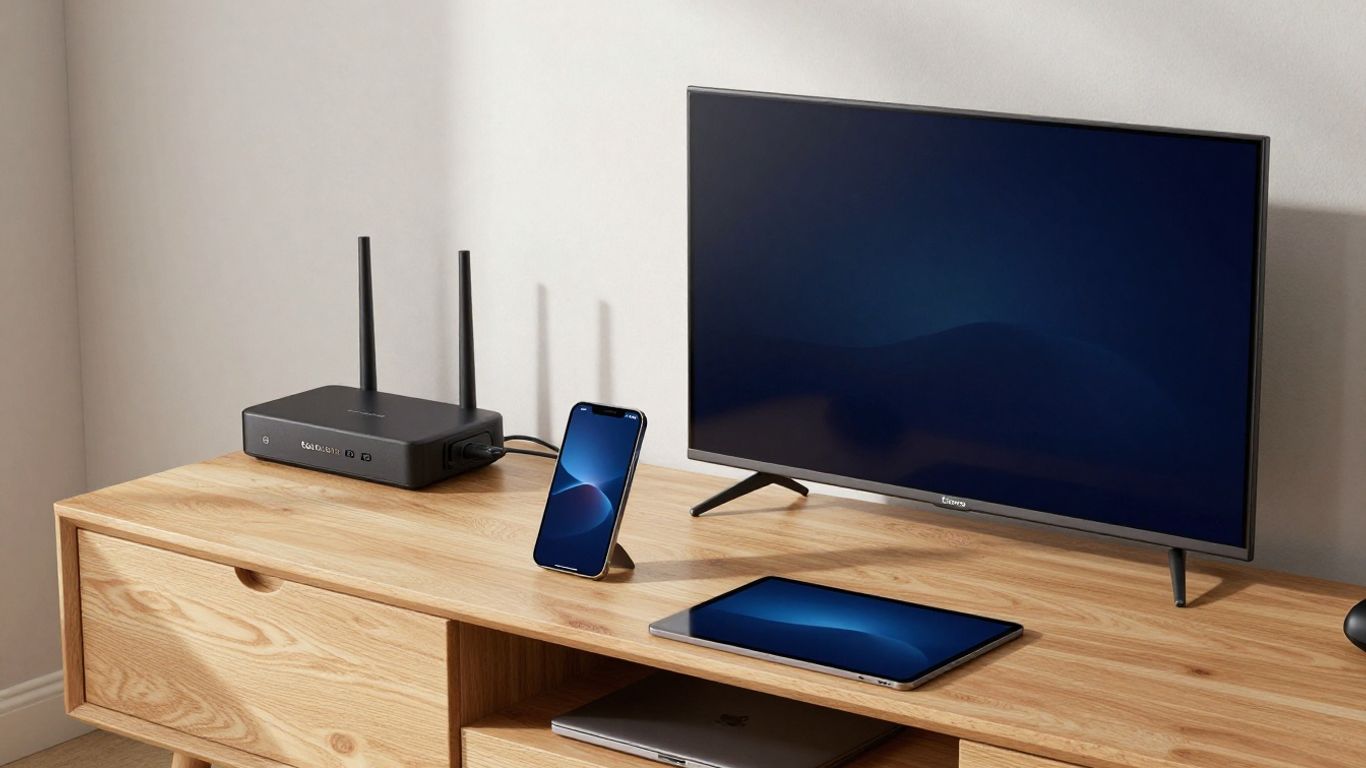
Check whether the provider offers an official app for your smart TV or streaming device, and whether mobile and desktop access are supported. If an app is not available, the service may require a compatible player, but that can add setup steps and create another point of failure. Avoid installing unknown software from untrusted sources.
Write down the exact model and operating system of each device you plan to use. Compatibility can differ between older and newer versions of the same product family. A provider’s setup documentation should make the supported combinations clear before you pay.
Selecting a plan for individuals, families, or shared homes
An individual viewer usually needs one dependable stream and a simple interface. Families may need separate viewing at different times, parental controls, or more than one registered device. Shared homes should pay close attention to simultaneous-stream rules and account security, since sharing credentials can violate terms or expose payment information.
Do not buy extra connections just in case. Estimate how often streams overlap, then choose the smallest plan that comfortably handles that pattern. You can usually reassess at renewal rather than paying for unused capacity immediately.
Matching channel packages to viewing habits
Make a short list of the programs, genres, languages, and local networks you actually watch. Then compare that list with the provider’s current lineup and on-demand catalog. If sports or live news is your priority, playback stability at scheduled times may matter more than the size of the movie library.
A useful guide to choosing an IPTV subscription can provide another way to structure this comparison. Still, your own viewing diary is often more revealing than a ranking: note what you watched for a week, then judge plans against that evidence.
Considering travel, portability, and regional restrictions
Travel can change what content is available because distribution rights are often tied to location. A service may permit use on mobile devices but still restrict particular channels outside the home region. Review the terms before traveling, and do not assume that a working login guarantees access everywhere.
Portability also depends on practical factors such as hotel Wi-Fi, cellular data, device charging, and privacy. A lightweight setup can be convenient, but it should remain within the provider’s rules and the laws that apply in the country where you are watching.
Setting up and securing an IPTV subscription
Setup is usually straightforward when the provider supports your device and gives clear instructions. Install only the recommended application or a reputable compatible player, then keep your credentials private. A few minutes spent checking the network and account settings can prevent many avoidable problems later.
If you are comparing setup guidance, an IPTV setup reference can help explain common device and activation steps. Keep the provider’s own instructions as the final authority for its app and account system.
Installing the provider’s app on supported devices
Open the official app store on your smart TV, streaming device, phone, or tablet and search for the supported application. Verify the developer name and reviews before installing, since similarly named apps may not be associated with the service you chose. On a computer, use the provider’s documented download route rather than an unfamiliar mirror.
After installation, update the device software and the app when prompted. Updates can improve compatibility and security, although they may also change menus. If the app is not listed for your device, contact support before trying workarounds.
Entering subscription credentials and configuring the service
Use the username, password, activation code, or playlist details supplied through the provider’s normal account process. Enter them carefully, especially where letters, numbers, and punctuation look similar. Do not paste credentials into public forums or send them to an unverified person claiming to provide technical help.
Once signed in, set language, parental controls, favorites, guide display, and playback quality where those options are available. Test one live channel and one on-demand item before customizing everything. This confirms that activation works and gives you a clear baseline if an issue appears later.
Improving Wi-Fi performance and reducing buffering
Buffering is often caused by an unstable path between the device and the service, not simply by a low advertised internet speed. Move the router away from obstructions, reduce competing downloads, and use a wired connection when practical. A modern 5 GHz network may help nearby devices, while a mesh system can improve coverage in larger homes.
A simple setup check is easier to follow when done in order:
- Restart the streaming device and router.
- Pause downloads, cloud backups, and other active streams.
- Test the same program on another supported device.
- Switch to Ethernet or a stronger Wi-Fi location.
After each change, watch long enough to see whether playback remains stable. If only one channel fails while others work normally, the problem may be specific to that stream rather than your whole connection.
Protecting accounts, payments, and personal information
Use a unique password for the IPTV account and enable two-factor authentication if the provider offers it. Keep payment confirmations and renewal dates in a secure place, and monitor statements for unexpected recurring charges. Do not share account credentials widely, even with people in the same home, unless the plan explicitly permits that use.
A VPN may improve privacy on some networks, but it does not make unauthorized content legal or override regional terms. Choose privacy tools carefully and check whether their use is compatible with the service. Security is part of a good subscription experience, not an optional extra.
Troubleshooting common IPTV subscription problems
Most problems can be narrowed down by identifying whether the fault affects one device, one channel, or the entire service. Record the time, program, error message, and steps you have already tried. That information gives support something concrete to investigate and prevents repeated, unhelpful resets.
Do not immediately delete and reinstall everything. First check the account status, network, device compatibility, and provider notices. A methodical diagnosis is usually faster than changing several settings at once.
Fixing buffering, freezing, and poor video quality
Begin by checking whether other household devices are using bandwidth. Restart the router and streaming device, close unused apps, and try a wired connection if possible. If the application offers adaptive quality, lowering the resolution temporarily can show whether the connection is struggling with a higher stream.
Test another channel and an on-demand title. If only one stream freezes, note that detail; if every stream fails across multiple devices, contact the provider and your internet company as appropriate. Avoid assuming that a VPN will fix buffering, since it can sometimes add another routing point.
Resolving login, activation, and device-limit issues
Re-enter credentials from the original confirmation message and check for expired trials, changed passwords, or a date-related subscription issue. Device-limit errors may remain after an app is deleted if the service records registered devices on the account. Look for an account-management option to remove old devices, or ask support to reset them.
Use the provider’s official contact channel and include your account identifier without sending a full password. Keep screenshots of error messages if they contain useful wording, but redact email addresses, payment details, and activation codes before sharing them publicly.
Handling missing channels and electronic program guide errors
A missing channel may reflect a changed lineup, regional availability, a temporary source problem, or an outdated app. Refresh the guide, sign out and back in, and compare the channel with the provider’s current information. Check the device date and time as well, since incorrect settings can affect guide schedules.
If the channel is advertised but remains unavailable, ask support for a specific explanation and expected resolution. For a guide error, provide the channel name, displayed time, and your region. Clear evidence is more useful than a general complaint that the service is broken.
Knowing when to contact support or cancel the service
Contact support when the issue affects multiple devices, billing, activation, or advertised content, or when basic troubleshooting has not helped. A dependable service should explain the next step and any expected wait. Keep a record of conversations, especially when requesting a refund or cancellation.
Consider canceling if outages are frequent, the provider avoids reasonable questions, charges do not match the agreed terms, or the content appears unauthorized. A low price is not a good trade for unclear rights, poor privacy practices, or an account that cannot be managed safely. For payment-specific planning, a subscription payment guide offers useful questions about renewals and secure checkout.
Conclusion
Choosing an IPTV subscription is easier when you treat it as a service decision rather than a race for the biggest channel number. Verify legality and transparency, test the features you will use, match the plan to your devices and household, and keep security and cancellation terms in view. That process takes a little time, but it gives you a much better chance of finding affordable television that remains reliable after the first week.
Frequently Asked Questions
Is IPTV legal in the United States?
IPTV technology is legal, but a provider must have the appropriate rights to distribute the content it offers. Check the provider’s identity, terms, licensing information, and regional availability before subscribing.
What internet speed is needed for IPTV?
The required speed depends on resolution, household traffic, and connection stability. A consistent connection with enough capacity for the selected quality is more useful than a high advertised speed that fluctuates.
Can I use one IPTV subscription on multiple devices?
That depends on the plan. Some subscriptions allow several registered devices, while others limit simultaneous streams. Review the device and connection rules before sharing access across a household.
Why does IPTV keep buffering?
Buffering can result from weak Wi-Fi, network congestion, competing household traffic, device limitations, or a provider-side issue. Test another device and stream, then contact support if the problem affects the service broadly.
Should I choose a monthly or annual plan?
A monthly plan offers flexibility while you test reliability and support. A longer plan may reduce the effective monthly price, but it carries more risk if the service does not meet expectations or has unclear refund terms.
Do IPTV services include local channels?
Some do, while others have limited or region-specific local coverage. Confirm the exact networks available in your location rather than relying on a general channel-count claim.
Is a VPN required for IPTV?
A VPN is not universally required. It may provide additional privacy on some networks, but it does not replace a provider’s licensing obligations or permit access that violates regional laws or service terms.