Estimated reading time: 12 minutes
Key Takeaways
- Legal Compliance: Ensure your IPTV provider has the proper licenses to avoid legal issues.
- Installation Source: Use the Amazon Appstore for safe installation of IPTV apps.
- Device Compatibility: Confirm that your IPTV service supports your device, especially for Firestick.
- Research: Always verify the legitimacy of IPTV providers before subscribing.
- Trial Options: Look for trial periods to test services before committing long-term.
Table of Contents
- Introduction
- Is IPTV Legal in the USA?
- IPTV USA: What “American IPTV” Really Means
- How to Identify Legal IPTV Providers for Firestick
- Legal IPTV on Firestick: Installing and Verifying Safe Apps
- IPTV APK vs. Official IPTV App Stores
- IPTV on Roku, Smart TV, Xbox, and More
- Choosing the Best IPTV App for Your Device (Legally)
- IPTV Service Comparison: Checklist, Reviews, and Red Flags
- Staying Safe: Legal Risks and Best Practices
- Step-by-Step Playbook to Find Legal IPTV Providers
- Frequently Asked Questions
Introduction
Navigating the world of Legal IPTV providers in USA for Firestick can be overwhelming with countless options available. This guide provides you with essential insights to help you find legitimate services while avoiding the risks associated with illegal streaming.
Is IPTV Legal in the USA?
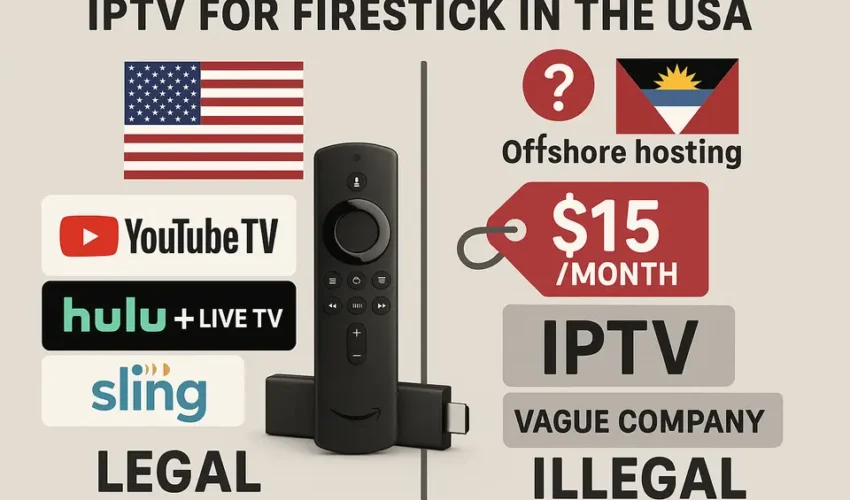
IPTV technology transmits television through your internet connection. What’s critical to understand is that while IPTV itself is legal, the content’s legality depends on the streaming service’s licensing. Legal providers, as explained in detail at this resource, acquire appropriate licenses, whereas illegal services do not, exposing users to significant legal risks.
IPTV USA: What “American IPTV” Really Means
Beware of misleading marketing terms such as “american iptv”. Many services claiming to be American often lack legitimate licenses. Services that genuinely accommodate US viewers must comply with strict licensing agreements, which often entail higher prices.
How to Identify Legal IPTV Providers for Firestick
To find safe and legal IPTV providers for Firestick:
- Check app availability: Look for providers with apps on the Amazon Appstore. More details can be found at this guide.
- Verify licensing: Reliable providers should openly share their licensing agreements.
- Realistic channel lineup: Services should have offerings that match the expected market rates.
- Customer service accessibility: Legitimate providers will have responsive customer support and clear cancellation policies.
Legal IPTV on Firestick: Installing and Verifying Safe Apps
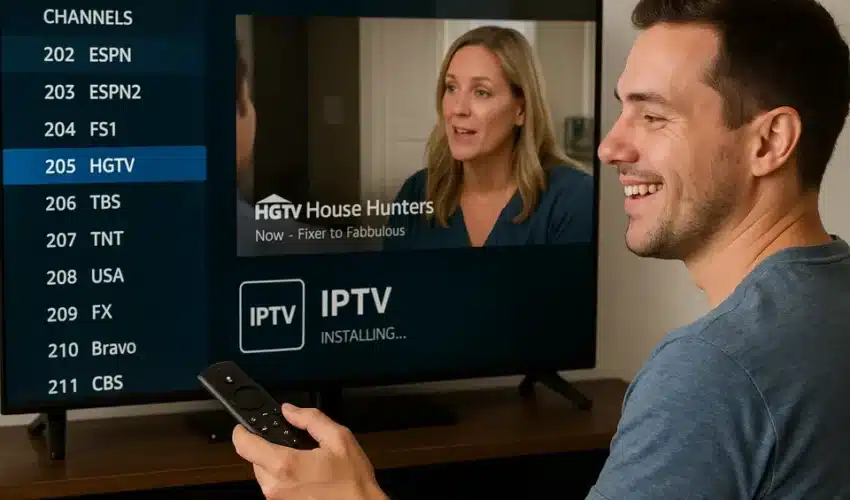
When installing IPTV apps on Firestick, follow these steps:
- Go to your Firestick Home Screen and select “Find.”
- Search for the specific app you’ve investigated.
- Select the app from the results and install it.
- Use the login credentials you created on the provider’s official site.
For a comprehensive look into installation, refer to this guide.
IPTV APK vs. Official IPTV App Stores
Understanding the differences between APK files and official app store apps is essential:
- Pros of APKs: May provide access to exclusive or niche apps.
- Cons of APKs: Increased risks of malware and often lack automatic updates.
When in doubt, always opt for official sources, as explained at this link.
IPTV on Roku, Smart TV, Xbox, and More
For installation across devices like Roku or Smart TVs, ensure that you use the official channels by following guidelines in this resource.
Choosing the Best IPTV App for Your Device (Legally)
Consider factors like user experience, performance, and feature completeness when selecting the best IPTV app for your needs.
IPTV Service Comparison: Checklist, Reviews, and Red Flags
When comparing different providers:
- Look for genuine service reviews and feedback.
- Beware of red flags like unrealistic promises of channel availability.
- Ensure there is comprehensive customer support.
Staying Safe: Legal Risks and Best Practices
It’s essential to be aware of the legal landscape regarding IPTV services. Stick to providers that comply with licensing laws and provide clear service agreements.
For further information on safe practices, visit this video.
Step-by-Step Playbook to Find Legal IPTV Providers
Your journey to finding legal IPTV providers should include:
- Identifying your content needs.
- Researching mainstream services dedicated to US viewers.
- Verifying licensing and app availability through official sources.
Frequently Asked Questions
What is IPTV?
IPTV stands for Internet Protocol Television and streams television channels through your internet connection.
How do I choose a legal IPTV provider?
Select providers with a proven history, customer reviews, and clearly stated licensing agreements.
Are there risks with illegal IPTV services?
Yes, using illegal IPTV services can lead to legal action, ISP warnings, and financial losses.
Can I use IPTV on multiple devices?
Many IPTV services allow multiple device streaming, but check the provider’s policy for specifics.
How do I troubleshoot IPTV issues?
Start with checking your internet connection, restart your app, and consult the provider’s support documentation.