Key Takeaways
A professional IPTV service is more than a channel list. It combines licensed content, dependable delivery, compatible equipment, sensible access controls, and responsive support.
- Check channel rights, regional availability, and content formats before subscribing.
- Match the service and player to the devices your viewers actually use.
- Plan bandwidth, Wi-Fi coverage, and network capacity before installation.
- Use secure accounts, monitoring, updates, and clear permission rules.
- Compare total operating cost, reliability, support, and compliance—not price alone.
Understanding professional IPTV and how it works
Professional IPTV delivers television and other video through an IP network rather than a traditional broadcast or cable connection. The experience depends on the quality of the content source, the delivery infrastructure, the playback software, and the network between them. For households, businesses, and shared properties, the goal is a service that remains predictable when several people watch at once.
What makes an IPTV service professional
A professional IPTV service has clear service terms, a useful content catalog, compatible playback options, and support that can help when something goes wrong. It should also explain whether it provides live television, video on demand, replay features, or some combination of these. Reliability is not only about resolution; it includes account handling, billing clarity, sensible troubleshooting, and consistent access.
For viewers who want a broad entertainment package, IPTVON.ME provides live channels and video-on-demand content, with a focus on high-quality streaming and customer support. Its positioning also includes anti-freeze technology, a 99% uptime guarantee, 24/7 support, and a 7-day money-back guarantee. Those details are useful starting points, but a buyer should still read the current terms before subscribing.
How live TV, video-on-demand, and replay features are delivered
Live TV is delivered as a continuing stream, so the provider must acquire, encode, package, and distribute content with little delay. Video on demand works differently: programs are stored for later playback, allowing the viewer to start, pause, or resume content when convenient. Replay or catch-up features depend on whether the provider records and makes recent programming available under its licensing arrangements.
The player does not automatically make a source legitimate. For example, IPTV Player Pro is described as a tool for organizing and playing personal online video playlists, and it does not provide or host content. Viewers remain responsible for using sources they own or are permitted to access.
The role of internet bandwidth, servers, and streaming protocols
Bandwidth determines how much video data can reach a device, while latency and packet loss affect how smoothly that data arrives. Provider servers, regional distribution points, and streaming protocols also influence startup time, channel changes, and recovery from a brief connection problem. A fast internet plan helps, but it cannot fully compensate for weak Wi-Fi, overloaded equipment, or a poor source stream.
A practical assessment considers peak household or venue usage rather than one screen in isolation. Leave room for software updates, video calls, browsing, and other traffic. Stable delivery matters most when a service is used by several viewers at the same time.
Professional IPTV compared with traditional cable and consumer streaming apps
Cable television generally arrives through a dedicated infrastructure, while IPTV uses an internet connection and software-based access. Consumer streaming apps usually center on one catalog or broadcaster; IPTV may bring live channels and on-demand programming into a single player, depending on the provider and subscription. That flexibility can be convenient, but it also makes device compatibility, source rights, and network planning more visible to the customer.
The broader IPTV setup guide is useful when comparing compatible devices, player installation, channel management, and common buffering problems. The main distinction is simple: professional IPTV requires attention to the whole delivery chain, not just the application on the screen.
Evaluating professional IPTV providers
Choosing a provider should begin with evidence rather than a large channel number. Review what is included, where the service operates, which devices are supported, and how technical or billing questions are handled. A short trial can reveal practical issues that promotional pages may not show, such as slow channel changes or inconsistent evening performance.

Channel selection, regional coverage, and content rights
Start with the channels and programs that matter to the intended viewers. A long list is not useful if it lacks local coverage, preferred language options, sports or news categories, or the regions you need. Ask whether live channels and video-on-demand libraries are covered by appropriate rights in your location, and avoid providers that are vague about ownership or authorization.
Regional availability can also affect performance and programming. A provider should state its service area and explain any restrictions before payment. Clear answers here are a stronger signal than an impressive but unexplained catalog.
Video quality, uptime, and streaming performance
Resolution labels such as HD or 4K describe potential picture quality, not a guarantee that every channel will play at that level. Ask how quality is maintained during busy periods, whether streams adapt to changing bandwidth, and what support process applies when playback fails. Uptime language should be read carefully, including definitions, exclusions, and any remedy offered.
A useful comparison keeps the main performance factors together:
| Factor | What to check | Why it matters |
|---|---|---|
| Picture quality | Supported resolutions and codecs | Sets expectations for clarity and device load |
| Availability | Uptime terms and maintenance policy | Shows how interruptions are handled |
| Startup and switching | Channel-change and load behavior | Affects everyday viewing comfort |
| Recovery | Reconnection or troubleshooting process | Reduces the impact of short network issues |
After reviewing the table, test the service at the times and locations where it will actually be watched. A provider that explains limitations plainly is easier to evaluate and manage.
Device compatibility and user management features
List every intended screen before choosing a subscription: smart TVs, streaming boxes, phones, tablets, and computers may use different players or login methods. Check whether the service supports the operating systems and display hardware already in place. For shared environments, also confirm how many simultaneous streams are allowed and whether separate profiles or permissions are available.
Compatibility is more than installing an app. Remote controls, audio formats, subtitles, screen size, and account limits can all change the viewing experience. A short written compatibility checklist prevents an expensive mismatch.
Customer support, service-level commitments, and billing terms
Support should be reachable through a stated channel and should explain what information it needs when diagnosing a problem. Review renewal dates, cancellation rules, refunds, taxes, trial periods, and the difference between a service guarantee and a general marketing promise. Businesses should also ask whether invoices, account changes, and escalation paths suit their internal processes.
Billing operations become more demanding as subscriptions and transaction volumes grow. A specialist article on EarnBill discusses flexible billing, automated processes, scalability, and self-service options for OTT platforms; those are useful considerations even when a buyer is evaluating a smaller deployment. Keep the comparison grounded in the terms of the IPTV service itself.
Choosing the right professional IPTV hardware and software
Hardware should serve the viewing environment, not dictate it. A home with one television has different needs from a hotel, office, waiting room, or residential property with many screens. Select equipment only after confirming the provider’s supported access method, network requirements, display outputs, and management expectations.
Smart TVs, streaming boxes, mobile devices, and computers
Smart TVs can reduce the number of separate devices, while streaming boxes may offer more consistent software updates or easier replacement. Phones and tablets are convenient for personal viewing, and computers are useful where browser or desktop access is preferable. Check processing capability, available storage, remote-control usability, and whether the device receives security updates.
Do not assume that a stream that works on one platform will behave identically on another. Test the actual model, operating system version, and display connection wherever possible.
IPTV players, electronic program guides, and M3U or portal access
The player is the interface between the service and the viewer. Depending on the provider, setup may use an M3U playlist, a portal address, an application login, or another documented method. An electronic program guide can make a large channel list easier to browse, but its accuracy depends on the data supplied and how often it refreshes.
Use credentials and playlist URLs carefully. Store them in an appropriate password manager or controlled administration record rather than sharing them in open messages. A player can organize permitted content, but it does not create rights to that content.
Network equipment for offices, hospitality venues, and shared spaces
Shared spaces need more than a fast connection. Plan wired connections for fixed screens where practical, place wireless access points to avoid dead zones, and separate streaming traffic from guest or administrative traffic when the equipment supports network segmentation. Managed switches and a capable router can make troubleshooting much easier.
For larger deployments, document the location, power source, network path, and responsible owner for every screen. Simple records reduce the time spent searching for a disconnected cable or misconfigured device.
Accessibility features and multi-screen viewing requirements
Accessibility should be checked during selection, not after installation. Look for subtitle support, readable guide layouts, audio options, remote-control simplicity, and display settings that suit viewers with different needs. Multi-screen environments also require a clear policy for simultaneous streams, profile separation, and volume or content controls.
Ask viewers what makes the service usable for them. A technically capable system can still fail if menus are difficult to read or playback controls are inaccessible.
Setting up a professional IPTV system
A reliable setup begins with preparation. Record the internet connection, network layout, devices, access credentials, and expected number of simultaneous viewers before installing anything. Then make one controlled change at a time so that problems can be traced instead of guessed at.
Preparing the network and calculating bandwidth needs
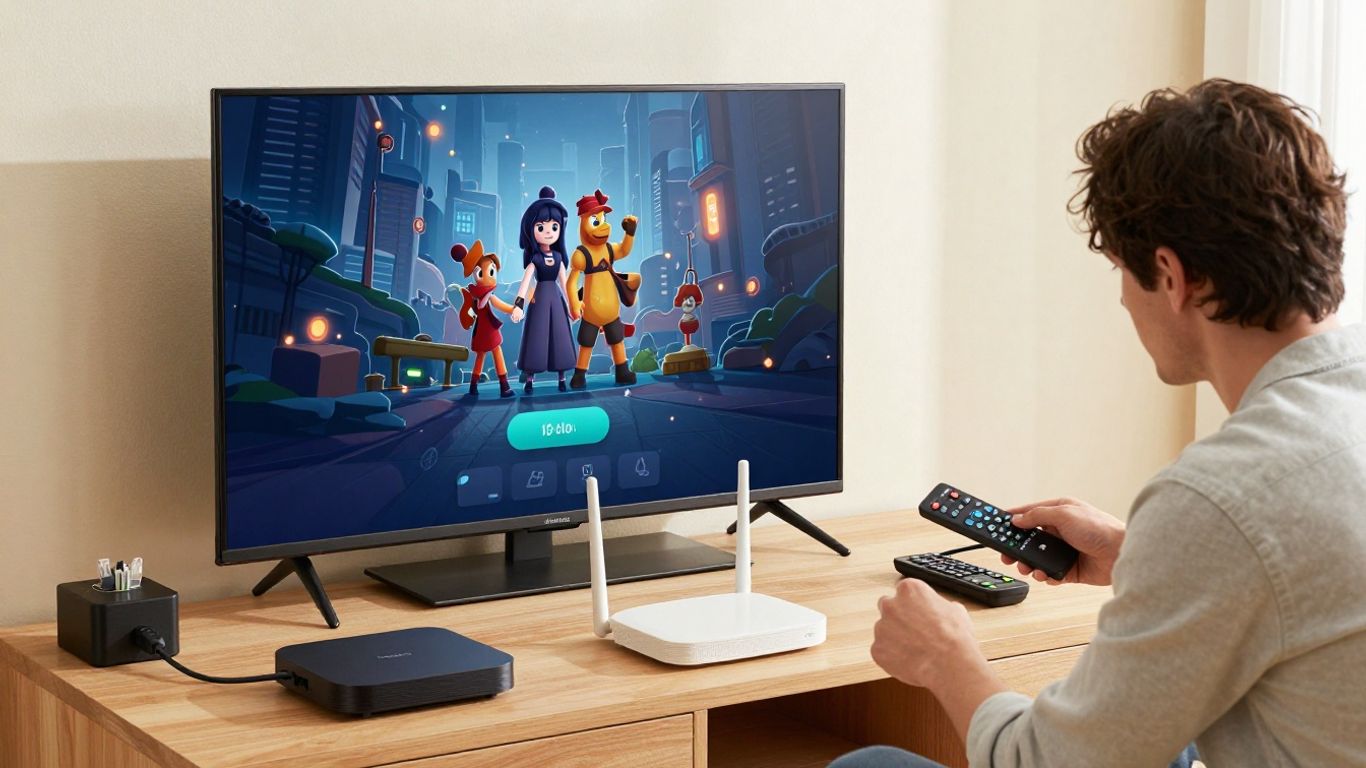
Estimate demand by considering the number of concurrent streams, their expected quality, and other traffic on the connection. Use wired Ethernet for stationary high-use screens when feasible, and place wireless equipment where it can serve the viewing area without excessive interference. Router placement, channel congestion, and local network capacity often matter as much as the advertised internet speed.
A setup should also include spare capacity for normal household or business activity. Measure performance during a busy period rather than relying only on a speed test taken when the network is quiet.
Installing and configuring the IPTV player
Install the player from a trusted source and confirm that it supports the provider’s access format. Enter the playlist, portal, or account information carefully, then set language, guide, subtitle, audio, and playback preferences. Keep a record of the configuration without exposing passwords to people who do not need them.
The VePLAYER Professional HD 4K IPTV Decoder illustrates why hardware specifications deserve close attention: its published information lists support for HEVC H.265 and H.264 up to 4K, several IPTV protocols, multiple output types, and automatic reconnection. Those capabilities belong to that decoder; they should not be assumed for every IPTV device.
Organizing channels, playlists, profiles, and permissions
Organization makes a service feel faster even when the underlying stream has not changed. Group channels by language, location, genre, or audience, and remove duplicates or unused entries where the player allows it. Separate profiles can keep personal favorites apart from shared household or workplace access.
A compact setup sequence helps prevent omissions:
- Confirm the subscription and permitted content sources.
- Add the playlist, portal, or account using the provider’s instructions.
- Refresh the guide data and arrange the main channel groups.
- Set profiles, simultaneous-stream limits, and parental controls where available.
- Record the final settings and a basic recovery procedure.
After this sequence, let a real viewer try the system without assistance. Their questions often reveal confusing labels or permissions that an installer has overlooked.
Testing playback quality across devices and locations
Test live channels, on-demand playback, channel changes, pausing, subtitles, audio, and recovery after a brief network interruption. Repeat the process on each important device and from the locations where people will watch. Note the time, channel, device, connection type, and symptom whenever a problem appears.
A written test record turns vague complaints into useful support information. It also shows whether a fault follows the account, the network, the device, or a particular stream.
Securing and managing professional IPTV access
Streaming accounts deserve the same basic care as other paid digital services. Access should be limited to people who need it, devices should be kept current, and unusual activity should be investigated. Security is not a one-time installation task; it is part of ordinary service management.
Account authentication and user access controls
Use unique passwords and, where available, stronger authentication methods. Do not circulate one administrator login when separate user access is possible. For a business or property, define who can add devices, change playlists, approve refunds, or contact support.
Review active sessions and remove access when a device is retired or a user leaves. Clear ownership makes routine changes safer and reduces accidental account sharing.
Protecting streams, devices, and network traffic
Keep players, streaming boxes, routers, and smart TVs updated through reputable channels. Use secure home or business Wi-Fi settings, avoid unknown applications, and be cautious with playlist files or portal links received from unverified sources. A VPN may be appropriate for privacy or regional network considerations, but it does not replace content licensing or a secure account.
The safest approach is layered: trusted software, protected credentials, updated equipment, sensible network separation, and legal sources. No single setting can cover every risk.
Monitoring usage, uptime, and playback errors
Monitoring can be as simple as a shared log for smaller setups or a more formal dashboard for a venue. Track failed logins, repeated buffering, unavailable channels, device restarts, and support tickets. Patterns are more useful than isolated incidents; a problem that appears only in one room points toward local network conditions.
Set a regular review time and decide in advance when an issue should be escalated. This keeps troubleshooting from becoming an improvised conversation every time a viewer reports a blank screen.
Handling updates, backups, and vendor changes
Keep an inventory of devices, software versions, account owners, playlist sources, and network settings. Back up configuration information securely, but do not store exposed passwords in ordinary documents. Before a major update, test one device first and keep a rollback or replacement plan.
Vendor changes can affect pricing, access methods, channel availability, or support contacts. Recheck the written terms and notify users before a change affects their viewing routine.
Improving reliability, cost, and viewer experience
Once the service is running, small operational decisions shape the everyday experience. Buffering may come from the provider, the home network, the device, or the connection between them. Cost can also be misleading when a low subscription creates more support work, replacement purchases, or downtime.
Reducing buffering with network and streaming optimizations
Begin by isolating the source of the problem. Compare wired and wireless playback, test more than one channel, restart the local equipment, and check whether other traffic is consuming capacity. Keep firmware and player software current, and avoid placing a streaming device inside a crowded cabinet or behind equipment that blocks its signal.
A streaming reliability guide offers a useful framework for checking connection speed, latency, hardware, and network optimization. Apply its general ideas to the actual environment rather than treating any single speed figure as universal.
Comparing subscription costs with operational requirements
Compare the complete cost: subscription, hardware, internet capacity, installation time, support effort, and replacement risk. A service with a lower headline price may be poor value if it lacks the channels, device support, or help your viewers require. Conversely, paying for features no one uses adds unnecessary complexity.
For a practical comparison, write down the required channels, screens, support expectations, renewal terms, and acceptable downtime. Then compare providers against the same list instead of switching criteria from one offer to the next.
Scaling IPTV for businesses, properties, and multiple users
Scaling requires a plan for concurrent streams, account permissions, network segmentation, device replacement, and support ownership. Hotels, offices, and residential properties may also need a consistent channel order or a central method for updating many screens. Design the first installation so that adding viewers does not require rebuilding the entire network.
Operational planning matters outside streaming too. For example, LongDistanceMovers.org describes nationwide residential and commercial relocation services; a property manager coordinating a move may need to include screen inventory, account ownership, and network equipment in the handover. The same principle applies here: document what is being moved, who controls it, and how it will be restored.
Recognizing legal, licensing, and compliance considerations
Use providers and content sources that can explain their authorization to distribute the programming they offer. Keep invoices, terms, and permission records where they can be reviewed, particularly in commercial or public settings. Avoid sideloaded applications, suspicious payment requests, and promises that seem designed to bypass ordinary licensing rules.
Compliance also includes internal responsibilities. Front Door Digital discusses code-compliance service pages, license details, insurance information, permits, and transparent pricing in the electrical-services context; the broader lesson is to keep documentation specific and verifiable when a system affects a business operation. Workplace planning may likewise benefit from Mental Health First Aid guidance when staff are responsible for supporting viewers or residents during stressful incidents. These are adjacent operational considerations, not IPTV features, but they reinforce the value of clear ownership and records.
Conclusion
Professional IPTV works best when service quality, lawful content, suitable equipment, network capacity, account security, and customer support are considered together. Start with a careful provider comparison, test the complete setup across real devices, and keep the system documented as it grows. That measured approach produces a more dependable viewing experience than choosing on channel count or price alone.
Frequently Asked Questions
What is professional IPTV?
Professional IPTV is a managed way to deliver live television and other video through an IP network. It typically involves a content provider, streaming infrastructure, compatible playback software, and a reliable internet connection.
Is IPTV legal?
IPTV technology itself is legal, but the legality of a service depends on whether it has permission to distribute the programs it offers. Choose transparent providers and use only content you are authorized to access.
How much internet speed does IPTV need?
The requirement depends on video quality, the number of simultaneous streams, and other network activity. Instead of relying on one universal number, test the real connection during busy periods and leave capacity for normal use.
Can IPTV work on a smart TV?
Many services can work on smart TVs, but compatibility depends on the television’s operating system, the player, and the provider’s access method. Confirm the exact model and software requirements before subscribing.
Why does IPTV buffer?
Buffering can result from weak Wi-Fi, congestion, insufficient bandwidth, device limitations, packet loss, or an overloaded source stream. Testing another device and connection helps identify where the fault begins.
What is an M3U playlist?
An M3U playlist is a file or URL format that can organize media stream addresses for a compatible player. It does not itself grant permission to access the listed content.
How can an IPTV system be made more secure?
Use unique credentials, trusted applications, updated devices, protected Wi-Fi, limited user permissions, and legal content sources. Keep configuration records secure and remove access from devices or users that no longer need it.