Key Takeaways
IPTV sites can be convenient, but a good viewing experience starts with legality, transparency, and realistic expectations.
- Choose services that clearly explain their licensing and pricing.
- Check video quality, device support, guide features, and stream limits.
- Treat missing company details, suspicious payment requests, and unrealistic promises as warning signs.
- Use official apps, secure networks, and reputable public playlists.
- Test a plan before committing to a long subscription whenever possible.
Understanding how IPTV sites work
Internet Protocol Television, or IPTV, delivers television through an internet connection rather than a traditional broadcast, cable, or satellite signal. The phrase “IPTV sites” covers several kinds of services, from official broadcaster platforms to subscription television packages and public playlists. The delivery method alone does not determine whether a service is legal or trustworthy. What matters is how the provider obtains and distributes its content.
IPTV versus traditional cable and satellite TV
Cable and satellite television usually depend on dedicated infrastructure, while IPTV sends streams through your home internet connection. That can make it easier to watch on smart TVs, phones, tablets, computers, and streaming devices, depending on the service. It also means your viewing quality is influenced by your internet connection, household traffic, and the provider’s streaming systems.
The difference is less about whether one method is automatically better and more about control and convenience. IPTV may offer flexible access and on-demand viewing, while cable or satellite packages may remain attractive for households that prefer a managed television connection and familiar channel bundles.
Live TV, video on demand, and catch-up streaming
Most IPTV services divide content into three broad experiences. Live television plays a channel in real time, video on demand lets you select a program from a library, and catch-up or replay features allow you to watch recently aired content. These options are separate capabilities, so a service that offers live channels may not necessarily include a large on-demand library or replay window.
Before subscribing, consider how you actually watch. Someone who follows live news and sports needs dependable real-time playback, while a household that watches series at different times may care more about a searchable VOD catalogue and reliable resume features.
Free, paid, and subscription-based IPTV services
Free services can be legitimate when they are funded by advertising, supported by a broadcaster, or built around publicly available streams. Paid services may charge monthly, annually, or through a package with a fixed term. A subscription should explain what is included, how billing works, and whether access ends immediately after cancellation or at the end of the billing period.
Pricing by itself is not proof of quality. A low price can reflect a limited catalogue, advertising, or fewer features; it can also signal that a provider has not explained its rights or support model clearly. Read the service description instead of judging by channel count alone.
Why content licensing matters
Licensing is the foundation of a lawful television service. A provider needs the appropriate rights to make its channels, programs, and other content available in the regions where it operates. When those rights are unclear, viewers may face sudden outages, removed channels, unsafe applications, or legal concerns.
A useful starting point is this legal IPTV guide, which frames the choice around licensing, provider transparency, security, and practical streaming needs. The principle is simple: an attractive catalogue is only worthwhile when the service has a credible basis for offering it.
Evaluating IPTV site safety and legality
Safety involves more than avoiding a broken stream. You are also assessing who operates the service, what information it collects, how it accepts payment, and whether its content distribution appears authorized. A few minutes of research can reveal whether a site behaves like a real business or is simply trying to obtain money and personal data.

How to check licensing and provider transparency
Look for a real company identity, a working support channel, clear terms, privacy information, and a straightforward explanation of available content. Licensing details may vary by country and channel, but a provider should not become evasive when you ask basic questions about rights or regional availability. Transparent cancellation and refund language is another useful trust signal.
The same care applies when comparing service businesses generally. For example, these provider verification questions illustrate why licensing, credentials, scope, and written terms deserve attention before payment. The subject is different, but the purchasing habit is sound.
Warning signs of unauthorized streaming services
Be cautious when a site promises every premium channel from every country for an unusually small fee, uses copied branding, or asks you to install an app from an unfamiliar file-sharing page. Pressure to pay in cryptocurrency or through personal bank transfers is also worth questioning. Broken contact pages, missing terms, and constantly changing domain names add to the concern.
A service does not become legitimate because it has a polished logo or a long channel list. Trust is built through details: identifiable operators, consistent policies, reasonable claims, and support that can answer direct questions.
Protecting your personal and payment information
Use a unique password for every streaming account and avoid entering card details on pages that lack basic security indicators. Consider paying through a method that offers transaction protections, and monitor statements after starting a new subscription. Do not install unknown browser extensions, sideloaded packages, or “special” players simply because a site says they are required.
You can also apply the practical thinking found in these secure supplier checks: verify who you are dealing with, confirm the payment process, and avoid sending more information than the transaction requires. Those steps are sensible for online purchases of any kind.
Understanding regional availability and restrictions
Television rights are often divided by country or territory. A channel available in one region may not be offered legally in another, and a service may restrict access when you travel. Check the provider’s supported countries, terms of use, and any location requirements before subscribing.
Do not assume that a technical workaround changes the underlying rights. A VPN may improve privacy on some networks, but it does not grant permission to view content that is unavailable under a provider’s licensing arrangements.
Comparing features that affect viewing quality
Once safety and legality are reasonably clear, compare the features that shape daily use. A large catalogue is not very helpful if streams fail during busy periods, the app is difficult to navigate, or your preferred devices are unsupported. Reliability usually comes from several modest details working together.
Channel selection and content categories
Start with the programs you genuinely watch, then check whether the relevant news, entertainment, documentary, family, or sports channels are included in your plan. Ask whether local channels and regional feeds are available, since “worldwide” lineups can hide important gaps. VOD libraries also change, so look for a current catalogue rather than relying only on promotional claims.
The best comparison is personal. Write down a short list of must-have channels and useful extras, then check them against the package before comparing totals or advertised channel counts.
Video resolution, bitrate, and buffering performance
Resolution describes the number of pixels in the picture, while bitrate affects how much data is used to maintain detail and motion. Higher resolution is not automatically better if the stream is unstable or your connection cannot sustain it. Busy household networks, weak Wi-Fi, and overloaded provider servers can all cause buffering.
A trial is useful because it lets you test the service at the times you normally watch. Pay attention to channel changes, live events, picture consistency, and whether playback recovers cleanly after a brief network interruption.
Electronic program guides and replay features
An electronic program guide makes live television easier to browse by showing schedules and program information. Replay, catch-up, and recording options can matter just as much as the guide itself, particularly for households that rarely watch at the scheduled time. Check how far back replay extends and whether it applies to every channel.
A clear interface reduces friction. Search, favourites, category filters, subtitles, and resume playback may not sound dramatic, but they affect whether the service feels manageable after the novelty wears off.
Device compatibility and simultaneous streams
Confirm support for the devices already in your home before choosing a plan. Some services work through dedicated apps, while others rely on a compatible player and a playlist or account login. Also check how many simultaneous streams are allowed and whether the limit applies to different networks or only devices inside one household.
| Feature | Why it matters | What to verify |
|---|---|---|
| Device support | Determines where you can watch | Smart TV, phone, tablet, computer, or streaming device compatibility |
| Simultaneous streams | Helps a household watch separately | Number of permitted active connections |
| Guide and replay | Makes live viewing easier to manage | EPG coverage and replay duration |
| Picture quality | Affects clarity and data use | Available resolutions and connection requirements |
This comparison keeps the decision grounded in use rather than marketing language. A smaller package with dependable device support may suit you better than a larger one that works poorly on your main screen.
Finding legitimate IPTV sites for your needs
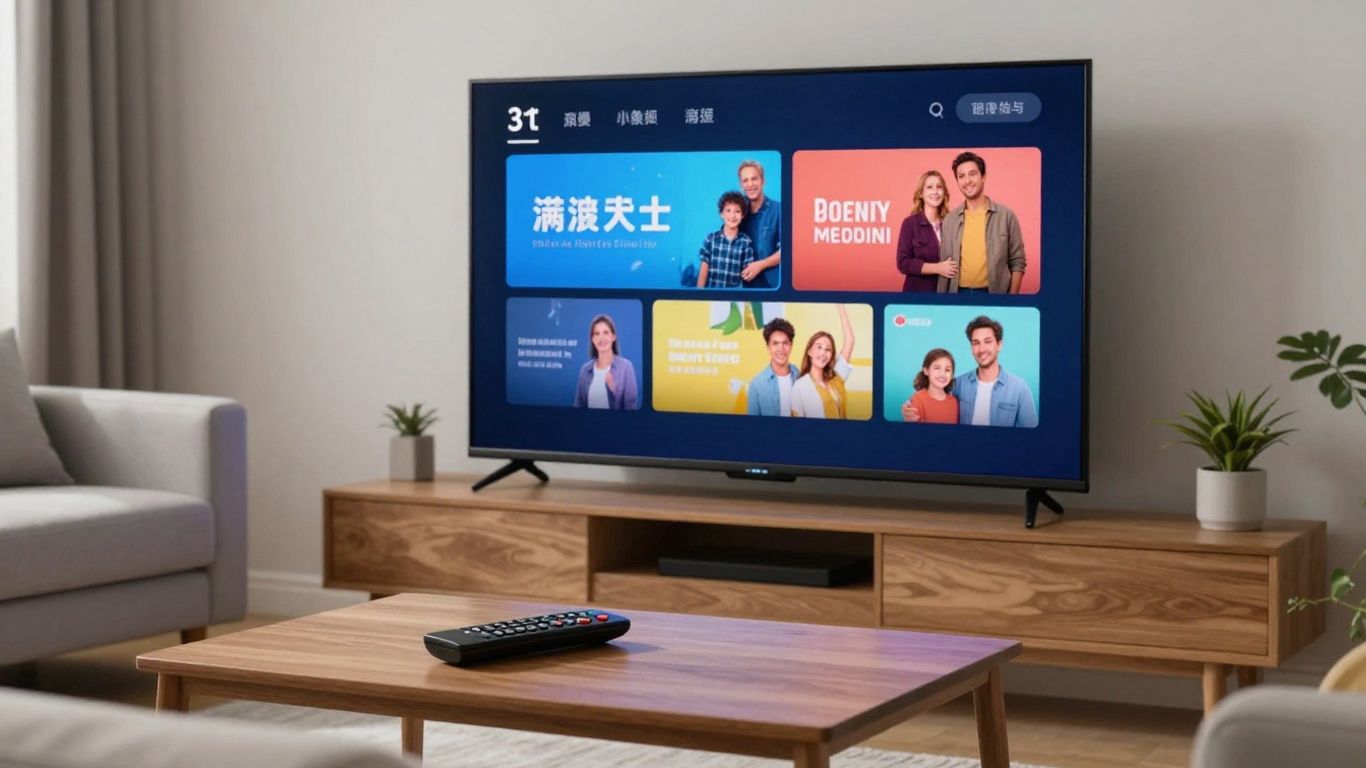
Legitimate options appear in several forms, and they do not all operate like a conventional channel subscription. Broadcasters may offer their own applications, live television services may bundle channels, and ad-supported platforms may provide free access with commercial breaks. Public playlists can also be useful when the individual streams are intentionally made available by rights holders.
Official network and broadcaster platforms
A broadcaster’s own website or app is often the clearest place to find its programming. These platforms may focus on one network, one region, or a particular category rather than trying to replicate a full cable bundle. Check whether live access requires a television login, a paid subscription, or simply a free account.
Official platforms can also explain blackout rules and geographic restrictions more clearly than general-purpose directories. That clarity is useful when you want a specific channel rather than a broad package.
Live TV streaming services
Live TV streaming services package multiple channels for internet delivery and may include guide data, cloud recording, or on-demand programmes. Compare the actual channel lineup in your area, not just the headline package. Taxes, regional sports restrictions, add-on fees, and stream limits can materially change the value.
For a wider overview of lawful provider selection, this legal service comparison offers another way to think about channel libraries, technical performance, DVR features, and support. Use those criteria as a checklist, not as a reason to buy a plan without reading its current terms.
Free ad-supported television services
Free ad-supported television services can be a sensible option for casual viewing. They typically trade subscription fees for advertising and may provide live themed channels, news, older programmes, or on-demand selections. Their catalogues and availability can change, so they work best when you are comfortable with a less predictable lineup.
Check the app’s publisher, privacy policy, and store listing before installing it. “Free” should not mean that you have to accept unknown software or an unclear data-collection practice.
Publicly available IPTV playlists and channels
Public playlists commonly use M3U files that point a compatible player toward live stream URLs. A well-known community project, public IPTV playlists, describes itself as a collection of publicly available channels and notes that it hosts links rather than video files. Even then, viewers should check the status and origin of individual streams.
These playlists can be educational and useful for free-to-air viewing, but they may change or stop working without notice. Use a reputable player, avoid downloading mystery software, and do not treat a public link as automatic proof that every destination is authorized.
Choosing the right IPTV service and plan
The right plan is the one that matches your viewing pattern without creating unnecessary cost or technical frustration. Think about who watches, where they watch, and how often live television matters. Then compare the service’s policies with the expectations it creates in its advertising.
Matching the service to your viewing habits
A household that watches live events may prioritize stability, local channels, and fast channel switching. Another may care more about VOD, replay, subtitles, or support for several screens. Make a short list of essentials before you browse plans, because channel totals can distract from the features you will use every week.
IPTVON.ME describes its offering as IPTV subscription services with live channels and video-on-demand content, alongside an emphasis on streaming quality and customer support. Those capabilities fit viewers looking for a broad mix rather than a single broadcaster’s catalogue, but the plan details should still be checked before purchase.
Comparing pricing, contracts, and free trials
Compare the total price, billing frequency, taxes, renewal terms, and cancellation process. A monthly option usually gives you more flexibility while you test performance, whereas a longer plan may reduce the effective monthly cost but carries more risk if your needs change. Read the free-trial conditions carefully, especially whether it converts automatically into a paid subscription.
For platforms handling recurring subscriptions, billing design is a substantial operational concern; this OTT billing overview explains why subscription models, transactions, and revenue management require clear systems. As a viewer, the practical lesson is to expect plain-language billing and a visible record of your agreement.
Checking customer support and refund policies
Reliable support should be reachable before and after purchase. Look for stated response channels, operating hours, setup help, and a written refund policy rather than relying on vague promises. Save receipts, order details, and support conversations in case you need to cancel or resolve a billing issue.
IPTVON.ME highlights robust customer support and a 7-day money-back guarantee in its positioning. Treat that as a policy to confirm in the current terms, including eligibility and the steps required to request a refund.
Considering parental controls and accessibility features
Families may need PIN protection, profile separation, or content filters, while other viewers may depend on subtitles, audio descriptions, adjustable text, or a screen-reader-friendly interface. These features are not universal across apps, even when the underlying service supports the same channels. Test them on the device used most often.
Accessibility also includes simple navigation and predictable playback controls. A service that is technically capable but difficult for someone in the household to operate may not be the practical choice.
Setting up and using an IPTV service
Setup is usually straightforward when you use an official application or a reputable media player and follow the provider’s instructions. Start with supported hardware, keep account details private, and avoid downloads offered through unrelated pop-ups. A careful setup is safer and often prevents the playback problems people later mistake for service failure.
Compatible smart TVs, streaming devices, and apps
Check the provider’s current compatibility list before you subscribe. Depending on the service, access may be available through a smart TV app, a streaming device, a mobile application, a web browser, or a player that accepts account credentials and playlists. Hardware capability alone does not guarantee that a particular app is supported.
If you are using a set-top device, confirm that it receives software updates and can run the required application. For broader device context, this IPTV box guide discusses the difference between IPTV boxes and general Android TV devices.
Installing an IPTV app from a trusted source
Use the device’s official app store whenever the provider offers an approved listing. Verify the publisher name, permissions, reviews, and update history, and avoid disabling security features to force an installation. If the service supplies an installation code or file, confirm the instructions through its official support channel first.
Never enter your subscription credentials into an imitation app simply because its name looks familiar. Removing an unsafe application later does not necessarily undo information that was already collected.
Configuring playlists, guides, and account settings
Some services provide a direct login, while others provide an M3U playlist, an EPG source, or both. Enter details carefully, keep a private backup of configuration information, and use separate profiles when the app supports them. Set favourites and guide preferences only after confirming that the basic stream works.
If channels appear without schedule data, the EPG source may be missing or outdated rather than the live stream being broken. Support documentation can usually clarify which guide format and time-zone setting the service expects.
Improving home network performance
Place the main streaming device where it can receive a strong Wi-Fi signal, or use Ethernet when practical. Pause large downloads during live viewing, restart older network equipment occasionally, and check whether several household devices are competing for bandwidth. These small changes can make playback more consistent without changing your subscription.
IPTVON.ME also positions its service around anti-freeze technology and a 99% uptime guarantee. Those are provider-level claims, not a promise that every home network will be free of interruptions, so local connectivity still deserves attention.
Troubleshooting buffering and playback issues
Begin by identifying whether the issue affects one channel, one device, or the whole household. Test another app, restart the player, check for updates, and try a wired connection if possible. If other services work normally but one provider remains unstable, record the time and channel before contacting support.
A useful troubleshooting sequence is compact enough to keep nearby:
- Confirm that the device and app are supported.
- Restart the app, device, and network equipment.
- Test playback at a different time and on another connection if available.
- Check account limits, playlist details, and guide settings.
- Contact the provider with specific error times and device information.
This process separates a local network problem from an account or provider problem. It also gives support staff something concrete to investigate instead of a general report that “IPTV is not working.”
Conclusion
Safe IPTV use comes down to a few steady habits: verify the provider, understand the rights and restrictions, compare the features you will actually use, and install software from trusted sources. With those checks in place, internet television can be a flexible alternative to traditional viewing without sacrificing privacy, reliability, or peace of mind.
Frequently Asked Questions
Is IPTV legal?
IPTV is a delivery method, so legality depends on whether the service has permission to distribute the content it offers in your region. Official platforms and clearly licensed services are generally the safer choice.
Are all IPTV sites subscription services?
No. Some are broadcaster platforms, free ad-supported services, public playlists, or paid live-TV packages. Their pricing, content rights, and technical features can differ considerably.
How can I tell whether an IPTV site is trustworthy?
Look for an identifiable operator, clear licensing information, transparent pricing, working support, privacy terms, and a written refund or cancellation policy. Avoid services built around secrecy and unrealistic promises.
Do I need a fast internet connection for IPTV?
You need a stable connection with enough capacity for the chosen video quality and the other devices using your network. Wired connections or strong Wi-Fi can help reduce local interruptions.
Can I watch IPTV on a smart TV?
Often, yes, but compatibility depends on the service, television platform, and approved application. Check the provider’s current device list before subscribing.
What is an M3U playlist?
An M3U playlist is a file or URL containing stream references that a compatible media player can read. It does not automatically confirm that every linked channel is authorized or still active.
What should I do if an IPTV stream keeps buffering?
Restart the app and network equipment, test another channel or device, reduce competing network traffic, and check account limits. If the issue continues, contact the provider with specific times and technical details.