Key Takeaways
Buying IPTV safely starts with understanding how internet television works and checking who actually has the right to distribute the content. A careful comparison also helps you avoid poor performance, unclear billing, and risky apps.
- Confirm that the provider explains its content rights and business identity.
- Compare channels, local programming, pricing, device limits, and cancellation terms.
- Check internet speed, app compatibility, and the quality of customer support.
- Use secure payment methods and protect your account with a unique password.
- Test playback early and keep records of receipts, terms, and support conversations.
Understand what IPTV is and how it works
IPTV, or Internet Protocol Television, delivers television programming through an internet connection instead of a traditional cable or satellite signal. The technology itself is neutral: the legal question depends on whether a service has permission to distribute the channels and programs it offers. Before you buy IPTV, it helps to separate the delivery method from the provider’s licensing and business practices.
IPTV versus cable, satellite, and streaming apps
Cable and satellite services generally use dedicated networks or satellite signals, while IPTV sends video through your home internet connection. Streaming apps also use the internet, but many are built around a single network, studio, or library rather than a broader television package. The practical difference is less about the screen and more about how the service organizes live channels, on-demand titles, billing, and access.
You can read a broader IPTV legality guide before comparing services. It is a useful way to keep the technology question separate from the rights question, especially when a website makes sweeping promises without explaining where its programming comes from.
Live TV, video-on-demand, and catch-up features
A plan may combine live television with video on demand, allowing you to select a movie or episode rather than wait for a scheduled broadcast. Some services also offer catch-up viewing, pause functions, or replay windows, but these features vary by provider and by channel. Do not assume that a familiar feature is included simply because it appears on another service.
A clear channel guide and a plainly described VOD library make the offer easier to evaluate. They also give you something concrete to test during a trial instead of relying on a long channel-count claim.
Internet speed and device compatibility requirements
Because IPTV travels over your internet connection, congestion in the home network can affect playback. The service should also explain which televisions, streaming devices, phones, computers, or set-top boxes it supports. An older device may run a service poorly even when the connection itself is adequate.
Check the provider’s technical requirements before paying, then test the device you expect to use most. A wired connection or a strong Wi-Fi signal can help, but neither fixes an incompatible app or an overloaded provider.
Why service quality varies between providers
Two services can use the same internet connection and still perform very differently. Their available infrastructure, app design, traffic management, content delivery arrangements, and support practices may not be the same. Quality can also vary by time of day, location, device, and the specific channel being watched.
Reliability claims should be treated as information to verify, not as a substitute for testing. IPTVON.ME describes anti-freeze technology, a 99% uptime guarantee, and 24/7 customer support as part of its service positioning; a prospective customer should still check how those promises are defined in the provider’s own terms.
A short setup or troubleshooting video can be helpful when it shows the actual process without asking you to install an unfamiliar file from an unverified website.
Identify a legal IPTV provider
A legal IPTV provider should be willing to identify itself, explain its service, and publish terms that match the way it sells access. The absence of detail does not prove a service is unauthorized, but it gives you less reason to trust it with money or personal information. Take a few minutes to verify the offer before entering payment details.
Licensing rights and available content
Look for a provider that clearly describes the programming it is authorized to distribute in the United States. Regional restrictions, sports rights, and premium networks can change what is available in a particular location. A legitimate service does not need to promise every channel on earth to be useful.
Be cautious when a site advertises an implausibly broad catalog at a tiny price, particularly when it gives no explanation of the source. A legal IPTV services guide can help you build a sensible checklist around licensing, content libraries, technical performance, and support.
Provider transparency and business information
Before you subscribe, look for a company name, working contact method, support hours, and a clear explanation of how accounts are delivered. The checkout page, help center, and terms should feel like parts of the same business rather than disconnected pages copied from different sites. Search results and testimonials can provide leads, but they are not proof of authorization.
The same habit applies in other online purchases. For example, readers researching Barcelona home buying would verify legal documents and the parties involved rather than relying only on a polished listing. IPTV deserves the same basic caution.
Service terms, privacy policies, and refund rules
Read the terms before purchasing, paying special attention to renewal, cancellation, refunds, geographic availability, and simultaneous streams. A privacy policy should say what information is collected and why, while the refund policy should explain deadlines and exclusions in plain language. Save a copy or screenshot of these pages because they may change later.
IPTVON.ME positions a 7-day money-back guarantee and customer care as part of its offer. If you consider the service, confirm the exact eligibility rules and request process at checkout rather than assuming every situation qualifies.
Warning signs of unauthorized IPTV services
A provider deserves extra scrutiny when it hides its identity, accepts payment through unusual channels only, or pressures you to act immediately. Other warning signs include instructions to disable device security, unexplained app downloads, and claims that legal restrictions do not apply. A low price is not automatically illegal, but an unbelievable offer combined with secrecy is a poor risk trade.
Use a simple pre-purchase check before proceeding:
- Can you find a real business identity and reachable support contact?
- Does the service explain its content, region, and device limitations?
- Are payment, refund, privacy, and renewal terms easy to locate?
- Does the installation process avoid unofficial files and suspicious permissions?
This approach is similar to checking fraudulent DBS providers: verify the source, inspect the details, and do not mistake professional-looking language for legitimacy.
Compare IPTV plans before you buy
Once a provider passes the basic trust test, compare the plan against your household’s actual viewing habits. A large number of channels may sound impressive, but it is less useful than reliable access to the programs you watch. Write down your essentials before opening a pricing page so that marketing language does not set the priorities for you.
Channel lineup and local programming
Start with local news, weather, and broadcast affiliates if those matter to your household. Check availability by ZIP code or location when the provider offers that option, and look for a current channel guide rather than a generic list. Local rights can differ even between otherwise similar plans.
Also check whether channels are live, on demand, or available only through a replay feature. That small distinction can affect daily use more than the total number of listed channels.
Sports, movies, international content, and premium networks
Sports viewers should verify the exact league, network, event, and blackout rules rather than relying on the word “sports.” Movie and international packages deserve the same care: identify the languages, regions, studios, or networks included and whether subtitles or alternate audio are available. Premium programming may require a higher tier or a separate authorization.
For a more focused comparison, an IPTV sports streaming guide can help you think through event rights, local broadcasts, and regional restrictions. The general lesson is simple: match the plan to named content, not to an impressive headline.
Pricing models, contract terms, and trial periods
Compare the full cost, including taxes, setup fees, add-ons, and any renewal price. Monthly billing is easy to change, while longer plans may reduce the average cost but increase your exposure if the service disappoints. A trial is useful only when it gives you enough time to test the channels and devices you actually care about.
A straightforward price table can make the differences easier to see:
| Plan detail | What to check | Why it matters |
|---|---|---|
| Billing cycle | Monthly, annual, or one-time payment | Shows your real commitment |
| Renewal | Automatic or manual | Prevents surprise charges |
| Trial | Length and eligibility | Determines how much testing is possible |
| Refund | Deadline and exclusions | Clarifies your fallback if service fails |
After comparing the rows, calculate the likely cost over the period you expect to use the service. A cheaper monthly figure is not necessarily better if the plan has restrictive cancellation terms or missing channels.
Simultaneous streams and household usage limits
“Multi-device” can mean that an account works on several devices, not that several people can watch at once. Check the number of permitted simultaneous streams and whether they must use the same household network. Also ask whether different profiles, parental controls, or separate viewing histories are available.
These limits matter most in busy homes. A plan that works perfectly for one viewer may become frustrating when another person starts a live event in a different room.
Choose the right IPTV device and setup
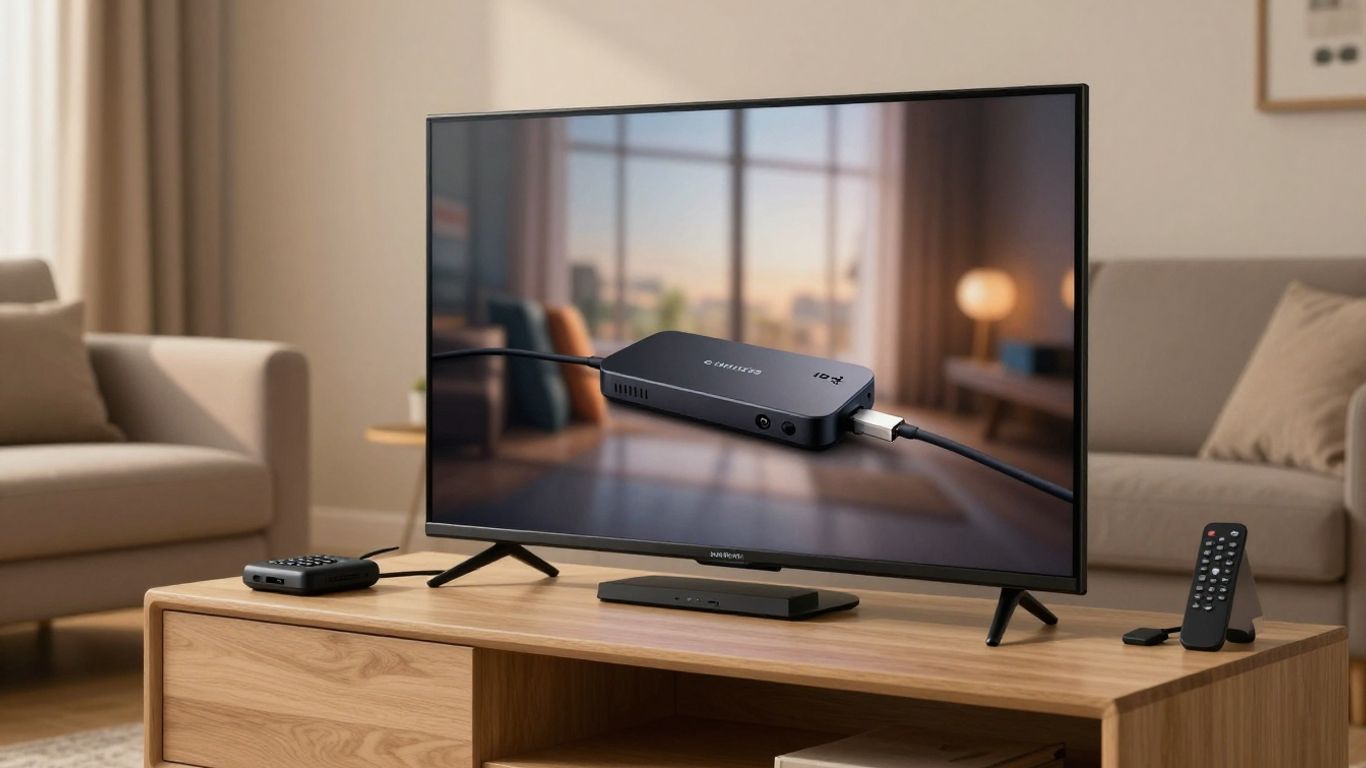
The best device is the one your household can operate comfortably and that the provider officially supports. A modern television may already handle the required app, while a streaming stick or set-top box can provide a simpler interface for an older screen. Setup should be planned around compatibility, network placement, and the people who will use the remote.
Smart TVs, streaming sticks, and set-top boxes
Smart TVs reduce the number of separate devices, but their app stores and operating systems vary. Streaming sticks are compact and often easy to replace, while set-top boxes may offer additional storage, ports, or remote-control options. Check software support and update policies before choosing hardware.
A compatible IPTV devices guide offers a useful framework for weighing Smart TVs, streaming boxes, game consoles, and other equipment. Avoid buying a device solely because a seller says it supports IPTV; the service app and lawful access are still separate questions.
App availability and installation requirements
Install the provider’s official app from a recognized store whenever possible, and confirm the exact app name before downloading. Some services require a subscription login, activation code, or supported player, while others work directly through a television platform. If installation instructions ask you to sideload unknown software, pause and investigate.
Keep the device operating system and app updated, but review permissions as well. An entertainment app should not need access that has no clear connection to playback or account management.
Remote controls, accessibility, and user experience
A plan can have excellent content and still be unpleasant if menus are slow or text is difficult to read. Test navigation, search, captions, audio options, parental controls, and remote responsiveness. Households with older viewers or accessibility needs should treat these features as practical requirements, not optional extras.
A short trial is the right time to check whether the guide is understandable from the sofa. Ask support about accessibility features if the website does not describe them.
When a VPN may support privacy without bypassing restrictions
A VPN can encrypt traffic between a device and the VPN server, which may support privacy on some networks. It does not create licensing rights, and it should not be used to bypass geographic restrictions or a provider’s terms. It can also affect speed, routing, and the way support staff diagnose a connection problem.
If you use one, choose a reputable service, understand its privacy policy, and test IPTV playback with and without it. The provider’s legitimate availability rules should remain the boundary for what you watch.
Protect your payment and personal information
A safe purchase continues beyond the provider’s homepage. Your payment details, email address, device information, and viewing account can all be useful to scammers when a site is poorly secured. Use the checkout process as another opportunity to assess whether the business is organized and trustworthy.
Secure checkout methods and reputable payment processors
Prefer a payment method that gives you transaction records and a clear dispute process. Check that the payment page uses a secure connection and that the recipient name makes sense for the business. Be wary of urgent requests for gift cards, direct transfers, or cryptocurrency when no conventional option or written receipt is available.
Keep the confirmation email, invoice, and the plan terms together. Those records make it easier to challenge an incorrect charge or request a refund within the stated window.
Account security and strong password practices
Use a password that is unique to the IPTV account, especially if the service stores billing or contact information. A password manager can create and remember a long passphrase, while multi-factor authentication is worth enabling when offered. Do not share login details casually, even with another household member, if the provider’s terms prohibit account sharing.
Review account activity and email alerts from time to time. A sudden password-reset message or unfamiliar device may be a sign that the account needs immediate attention.
Privacy concerns with unofficial apps and websites
Unofficial apps can expose you to excessive permissions, malicious downloads, aggressive advertising, or data collection you did not expect. The risk is higher when a site asks you to turn off security settings or install a file from a chat message. Use the official device store and the provider’s documented installation path whenever available.
This caution is not limited to IPTV. Even a seemingly harmless wellness download, such as the pregnancy tracking apps discussed elsewhere, should be checked for publisher identity, permissions, and privacy terms before installation.
How to recognize scams, fake reviews, and hidden charges
Fake reviews often repeat the same vague praise, avoid specific details, or appear in a burst across unrelated sites. Hidden charges may show up as automatic renewals, unexplained “activation” fees, or a different amount at checkout. Search for the company’s support contact independently and read both positive and negative feedback with some skepticism.
A trustworthy service should not need manufactured urgency. Clear terms protect buyers because they let you compare the offer before emotion takes over.
Test and manage your IPTV subscription
Your first few days should be treated as a practical evaluation period, not simply a chance to watch one favorite channel. Test different content, devices, and times of day, then compare what happens with the promises made on the sales page. If something is wrong, report it while the purchase is still within the refund or cancellation window.
Checking stream quality, buffering, and uptime
Try live channels, on-demand titles, and any catch-up feature at different times. Note buffering frequency, picture quality, audio sync, guide accuracy, and whether the stream recovers after a brief network interruption. Test on the device and connection your household will use most often.
A single smooth evening does not establish dependable performance, and one bad moment does not always prove the provider is at fault. Repeated patterns, however, give you useful evidence when deciding whether to continue.
Evaluating customer support after purchase
Contact support with a normal setup question before a serious problem occurs. Look for a clear response, realistic troubleshooting steps, and a willingness to explain limitations rather than simply sending another sales message. Keep the ticket number and any instructions you receive.
IPTVON.ME describes 24/7 technical and customer support as part of its positioning. Whatever provider you choose, judge support by an actual interaction and by whether the published response process matches your experience.
Cancelling, renewing, or changing your plan
Know whether cancellation stops access immediately or prevents the next renewal. Set a calendar reminder before an annual term ends, and check your bank or card statement after cancelling. If you change plans, confirm the effective date, stream limit, refund treatment, and whether unused time carries over.
When a refund is due, use the provider’s stated channel and keep the written confirmation. If the business does not respond, your payment provider’s dispute process may be the next step, subject to its rules.
Troubleshooting common playback and connection problems
Start with simple checks before changing advanced settings. Restart the app and device, confirm that other services can use the internet, and install available updates. Then test another channel or title to determine whether the problem is local, content-specific, or widespread.
A sensible troubleshooting order is:
- Check the home connection and restart the router if needed.
- Close other high-bandwidth activity on the network.
- Update or reinstall the official app only when necessary.
- Test a second supported device or connection.
- Send support the time, channel, device, and error details.
This information gives support something concrete to investigate. It also helps you distinguish a one-off home network issue from a recurring service problem before deciding whether to renew.
Conclusion
A safe IPTV purchase is less about finding the biggest promise and more about checking rights, terms, technology, payment security, and real-world performance in that order. Choose a provider that explains its service clearly, test it on your own equipment, and keep control of your account and billing records.
Frequently Asked Questions
Is IPTV legal in the USA?
IPTV technology is legal, but a service must have the rights to distribute the channels and programs it offers. Check the provider’s identity, licensing information, terms, and content availability before subscribing.
What should I check before I buy IPTV?
Review the channel lineup, local programming, device support, stream limits, pricing, renewal terms, privacy policy, refund rules, and customer support details. You should also understand how the service is installed.
Does IPTV require a fast internet connection?
IPTV requires a stable internet connection, and higher-quality video or multiple simultaneous streams generally place greater demands on the network. Test the connection and device you plan to use most often.
Can I watch IPTV on a Smart TV?
Many services support Smart TVs, but compatibility depends on the television platform and the provider’s official app. Confirm support before paying and avoid unverified installation files.
Do I need a VPN for IPTV?
A VPN is not automatically required. It may support privacy on some networks, but it does not make unauthorized content legal or permit you to bypass geographic restrictions, and it can sometimes reduce performance.
How can I avoid IPTV scams?
Look for a verifiable business identity, clear terms, realistic pricing, secure checkout, recognizable app distribution, and reachable support. Avoid urgent payment demands, unexplained downloads, and offers that hide their content source.
What should I do if IPTV keeps buffering?
Check the home connection, restart the router and app, reduce other network activity, update the official app, and test another supported device. If the issue continues, give support detailed information about the time, channel, device, and error.