Estimated reading time: 12 minutes
Key Takeaways
- IPTV Basics: Understanding the difference between IPTV and traditional broadcasting is essential for optimal usage.
- Setup Essentials: Ensure you have the right internet speed and a legitimate IPTV subscription for a smooth experience.
- Troubleshooting Tips: Common issues can often be resolved with basic checks and adjustments.
- Security Awareness: Choose licensed content providers and maintain security measures to protect your IPTV experience.
- Future Trends: Stay updated with the latest advancements like 5G integration and enhanced AI curation for better IPTV services.
Table of Contents
Understanding IPTV Fundamentals
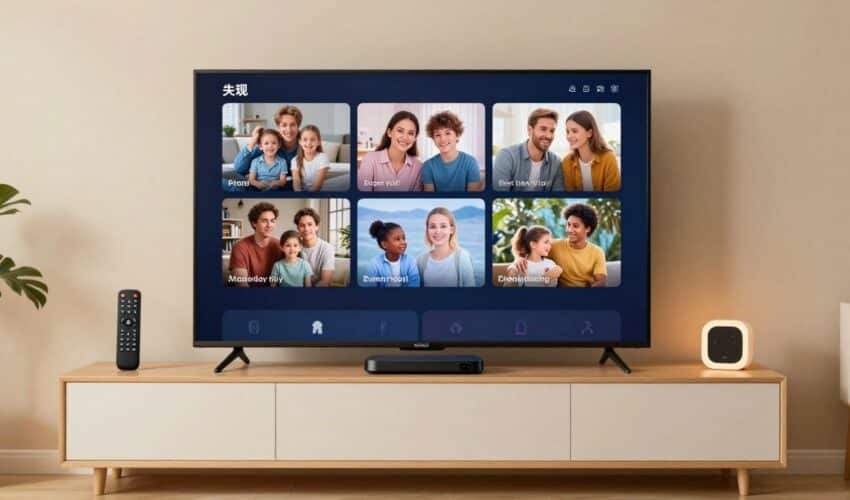
IPTV delivers television content through the internet rather than traditional broadcast methods. Unlike cable or satellite TV, which push all channels simultaneously, IPTV streams your selected content on demand. This fundamental difference allows for interactive features and personalized viewing experiences.
Key components include:
- Electronic Program Guide (EPG)
- Video on Demand (VOD) Learn More
- Cloud DVR capabilities
- Digital Rights Management (DRM)
High Tech Features Defining IPTV in 2025
Modern IPTV systems incorporate several technological advances:
- 4K and 8K video resolution support Learn More
- HDR content delivery
- AI-powered content recommendations Learn More
- Multi-device synchronization Learn More
- Advanced security protocols
IPTV Architecture and Technical Framework
The IPTV system operates through several interconnected components:
- Content acquisition and processing
- Middleware management
- Content delivery networks (CDN)
- End-user applications
Modern protocols like HLS and MPEG-DASH ensure smooth content delivery across various network conditions. Learn More
Setting Up Your IPTV System
Essential requirements for IPTV setup:
- Internet connection (minimum 25 Mbps recommended)
- Compatible device (Smart TV, streaming box, or mobile device)
- IPTV subscription from a legitimate provider Learn More
- Appropriate applications or software
Step-by-Step Installation Process
- Network Setup:
- Connect your device via ethernet or WiFi
- Test internet speed and stability
- Configure router settings if needed
- Device Configuration:
- Install required applications
- Update system software
- Configure display settings
Troubleshooting Common IPTV Issues
Regular problems and solutions: Learn More
Buffering:
- Check internet speed
- Clear cache and temporary files
- Use a wired connection when possible
Playback Issues:
- Verify subscription status
- Update application software
- Check device compatibility
Security and Legal Considerations
Protect your IPTV experience by:
- Using official apps and services
- Maintaining strong passwords
- Keeping software updated
- Choosing licensed content providers Learn More
Also, be aware of scams and unlicensed services; learn how to spot risks and protect your account. Learn More
Future IPTV Trends
Watch for these upcoming developments:
- 5G integration for mobile viewing
- Enhanced AI content curation
- Improved compression technologies
- Advanced interactive features
Quick Reference Guide
Essential IPTV Checklist:
- Verify internet speed and stability
- Confirm device compatibility
- Install necessary software
- Set up security measures
- Test all features and channels
By following this guide, you’ll be well-equipped to enjoy the benefits of modern IPTV technology while avoiding common pitfalls. Remember to prioritize legal content sources and maintain regular system updates for the best experience.
Frequently Asked Questions
What is IPTV?
IPTV stands for Internet Protocol Television, which allows you to stream television content over the internet instead of through traditional broadcasting methods.
What equipment do I need for IPTV?
You typically need a stable internet connection, a compatible device like a smart TV or streaming box, and an IPTV subscription from a legitimate provider.
Can I watch IPTV on multiple devices?
Yes, most IPTV services allow you to watch on multiple devices, but there may be limits depending on your subscription plan.
What should I do if my IPTV is buffering?
If you’re experiencing buffering, check your internet speed, clear temporary files, and use a wired connection if possible.
Is IPTV legal?
The legality of IPTV services varies by provider and content; it’s essential to choose licensed content providers to ensure compliance with laws.