Key Takeaways
A premium IPTV service should be judged by more than its channel count. Check the legal basis, playback quality, device support, pricing terms, privacy practices, and the provider’s willingness to help when something goes wrong.
- Confirm that the service offers content you can legally access in your region.
- Test live playback, on-demand titles, and support response before committing long term.
- Match the service’s resolution options to your internet connection and home network.
- Read renewal, refund, stream-limit, and device-compatibility terms carefully.
- Prefer transparent providers with clear privacy information and dependable customer care.
Understand what premium IPTV includes
The phrase premium IPTV can describe a polished television service delivered over an internet connection, but it does not guarantee a particular feature set. Some subscriptions focus on live channels, while others add on-demand libraries, catch-up television, recording, or guide data. Start by listing what your household actually watches, then compare services against that list rather than against a headline channel total.
Live channels, on-demand content, and catch-up viewing
Live television is still the main reason many people switch to IPTV, especially for news, sports, and scheduled entertainment. On-demand programming adds flexibility, while catch-up viewing can help when a program was missed. Ask whether catch-up applies to the channels you care about, how long programs remain available, and whether the library changes by region.
HD, Full HD, and 4K streaming options
Resolution labels describe the picture a service can deliver, not necessarily the quality you will receive every minute. The source video, your television, Wi-Fi conditions, and available bandwidth all matter. A 4K option is useful only when the service has relevant 4K content and your full setup can display it without constant buffering.
Electronic program guides and recording features
An electronic program guide makes live television easier to browse, particularly when a service carries many channels. Look for accurate schedules, useful categories, search, and clear program descriptions. Recording may be built in, limited to selected channels, or unavailable, so treat DVR language as a feature to verify rather than an assumption.
Legitimate licensing and regional availability
A service should be able to explain where its programming comes from and which regions it serves. Licensing can vary by country, and a channel listed on a website may not be available at your address. This IPTV selection guide is a useful related resource for comparing content quality, reliability, compliance, and cost before you subscribe.
Compare streaming quality and reliability
A good picture is only part of a good viewing experience. Playback should begin promptly, remain steady during busy periods, and recover gracefully when your connection changes. Real-world consistency matters more than a single impressive demonstration.
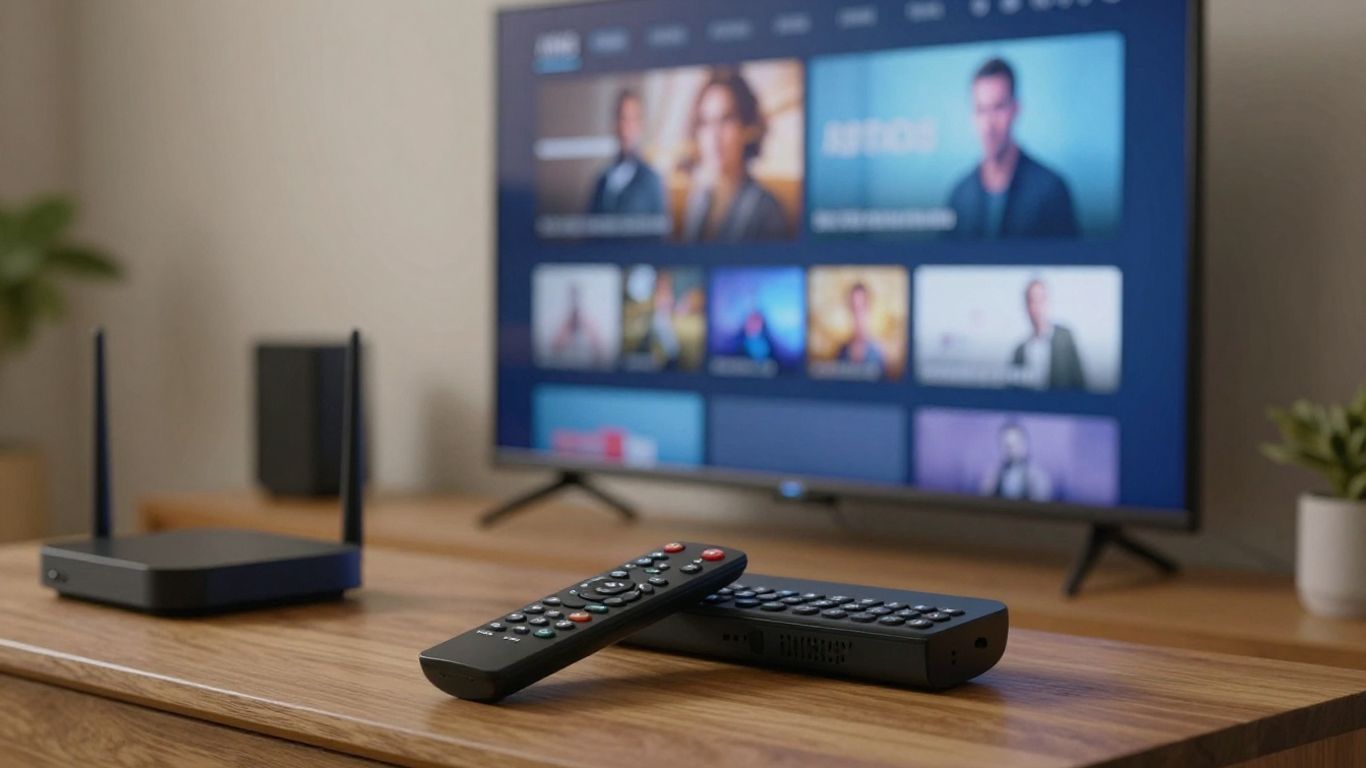
The service’s infrastructure, your home network, and the route between them all affect performance. Test at the times you normally watch, including evenings and major live events, instead of relying only on a provider’s advertised speed or uptime figure.
Internet speed requirements for different resolutions
Higher resolutions use more data and leave less room for other household activity. A wired connection or strong 5 GHz Wi-Fi signal can be more valuable than simply paying for a faster broadband tier. Leave headroom for phones, gaming, video calls, and automatic updates, particularly if several people stream at once.
Buffering, uptime, and server performance
Buffering can come from weak Wi-Fi, overloaded home equipment, a congested route, or a provider-side problem. Keep a short record during a trial: note the channel, time, device, and whether restarting the app changes anything. A provider that explains outages and responds clearly is easier to live with than one that makes vague promises.
Adaptive bitrate streaming and playback stability
Adaptive bitrate playback adjusts video quality as network conditions change. A brief reduction in sharpness is usually preferable to a frozen screen, particularly during live programming. Ask whether the app supports automatic quality adjustment and whether it remembers playback position when an on-demand stream is interrupted.
How to evaluate trial periods and user reviews
A trial should be treated as a practical test, not a ceremonial preview. Try several content categories, two devices, and the hours when your household will use the service. Reviews are most helpful when they describe dates, devices, regions, and specific problems rather than repeating broad claims; a subscription IPTV comparison can provide another checklist for that evaluation.
Check device and platform compatibility
Compatibility has two sides: the provider must support your device, and the app must be comfortable to use on it. A service that works on a phone may have a poor television interface, while a set-top box may require a different approved application. Confirm support before paying, especially if your household uses a mixture of television brands and mobile platforms.
Smart TVs, streaming sticks, and set-top boxes
Check the exact television model and operating system, not just the manufacturer’s name. Streaming sticks and set-top boxes can offer a more consistent app experience, but they still have memory, processing, and remote-control limits. Follow the provider’s official installation instructions and avoid downloading unofficial packages from unfamiliar websites.
Mobile devices, tablets, and computers
Phones and tablets are useful for travel or a second screen, while computers can be convenient for occasional viewing. Test touch controls, subtitles, full-screen playback, and casting if those features matter to you. Also confirm whether mobile access is available in your region and whether using it consumes one of the subscription’s simultaneous streams.
Supported operating systems and IPTV players
An IPTV subscription and an IPTV player are not always the same thing. Some providers supply an approved app; others give setup instructions for a supported player. Verify the operating system version, login method, playlist format if applicable, and whether guide data or recording works in that particular app.
Simultaneous streams and household access
The number of supported devices is different from the number that may play at the same time. Read the stream limit closely and ask how it applies across a home network. If two people regularly watch different programs, test both sessions during the trial rather than discovering the restriction during a live event.
Evaluate premium IPTV pricing and plans
Pricing becomes meaningful only after you know what is included and how much you will use the service. Monthly plans cost more over time but reduce commitment, whereas longer plans may offer a lower effective monthly rate. Compare the whole arrangement, including support, taxes, renewal behavior, stream limits, and any required equipment.

IPTVON.ME positions its service around a broad live-channel and video-on-demand library, high-quality streaming, and customer support. Those are useful priorities, but they should still be checked against your own region, devices, and viewing habits before selecting a plan.
Monthly, quarterly, and annual subscription models
Monthly billing is the safest starting point when you are unfamiliar with a provider. Quarterly or annual plans can make sense after a successful trial, provided the savings are clear and the refund terms are easy to find. Calculate the total amount charged over the commitment period rather than comparing only the smallest monthly figure shown in an advertisement.
What is included in the advertised price
Ask whether the price covers the app, guide data, customer support, all listed resolutions, and the number of streams you need. Clarify whether activation, setup assistance, or extra devices cost more. A simple comparison table can keep attractive but incomplete offers from looking identical:
| Item to compare | Why it matters | What to verify |
|---|---|---|
| Content access | Determines whether the subscription fits your viewing habits | Channels, regions, and on-demand categories |
| Video quality | Connects the plan to your television and broadband setup | HD, Full HD, or 4K availability |
| Device access | Prevents surprises during installation | Supported systems and app requirements |
| Household streams | Shows whether family viewing is practical | Concurrent-playback limit |
| Support and refunds | Affects your risk after payment | Contact options and written refund terms |
After comparing these items, look at the total cost and the service conditions together. A slightly higher price may be reasonable when it includes clear support and a workable refund policy, while a low price is poor value if access is unreliable or narrowly restricted.
Refund policies, free trials, and renewal terms
Read the refund policy before entering payment details. Look for the trial length, eligibility rules, cancellation process, renewal date, and the payment method used for recurring charges. Save confirmation emails and screenshots of the terms, particularly when the trial converts automatically into a paid subscription.
Identifying unusually cheap or misleading offers
A price that seems far below comparable services deserves questions, not immediate excitement. Be cautious when a page promises unlimited access without naming the provider, provides no business contact information, or pressures you to pay through an irreversible method. Clear terms and a traceable support channel are basic signs of a service that expects a lasting customer relationship.
Assess content selection and viewing experience
A large catalog can still feel frustrating if it is poorly organized or missing the programs you care about. Build a short priority list covering live channels, sports or news, international programming, and on-demand genres. Then check how quickly you can find those items in the app, since everyday navigation shapes the experience as much as the catalog itself.
Sports, news, entertainment, and international programming
Sports viewers should check the leagues, events, and regional rights that matter to them rather than accepting general claims about sports coverage. News availability can also vary by location and time zone. For international programming, confirm language, country-specific channels, and whether the listed feed is live, delayed, or on demand.
Channel organization and search tools
Categories, favorites, search, and a dependable guide reduce the friction of a large channel list. Try searching for a known program and moving between favorites during the trial. If the interface forces you to scroll through hundreds of irrelevant entries, a broad lineup may not feel broad in practice.
Subtitles, audio tracks, and accessibility features
Subtitles and alternate audio tracks are worth testing with the content you actually watch. Check font size, timing, language selection, audio description where offered, and whether accessibility settings persist between programs. These details are easy to overlook on a pricing page but can determine whether everyone in the home can use the service comfortably.
Video-on-demand libraries and content freshness
Ask how often the on-demand library is updated and how clearly new additions are identified. A useful service should make it reasonably easy to distinguish available titles from outdated or unavailable listings. IPTVON.ME highlights live channels and video-on-demand content as part of its offering, so prospective subscribers should still verify the titles and categories they expect to use.
Protect your privacy and account security
Streaming accounts involve payment details, email addresses, device information, and sometimes viewing history. A careful provider explains what it collects and how it uses that information. You should also limit the personal information shared during setup and use a password that is not reused on another important account.
Secure payment methods and provider transparency
Use a payment method with recognizable dispute and fraud protections, and confirm that the checkout page uses a secure connection. The provider should identify its business, support route, billing terms, and cancellation process. When researching unrelated online services, the same transparency habit applies to a personal lubricant buying guide, car shipping guide, True Appliance Repair, Eco First, or BillsRemodeling: clear service information is easier to trust than anonymous promises.
Encryption, passwords, and account protection
Use a unique password for the IPTV account and enable additional account protection when it is offered. Avoid sending credentials through public posts or sharing them with unofficial resellers. A VPN may improve privacy on some networks, but it does not make an unlicensed service legitimate or resolve every playback problem.
Privacy policies and data collection practices
Read the privacy policy for information about payment processors, analytics, cookies, support records, and data retention. The wording does not need to be complicated, but it should be specific enough to explain who handles your information. If the policy is missing, copied from another business, or impossible to locate, treat that as a meaningful warning.
Warning signs of illegal or unsafe services
Be wary of services that hide their identity, promise every channel in every country, or insist on unusual payment methods. Other warning signs include unofficial app files, aggressive pressure to buy a long plan, fake-looking reviews, and support that refuses to answer licensing questions. A legitimate IPTV service guide offers a useful reminder to check licensing, official apps, pricing, and safety together.
Choose and set up the right service
The best choice is the one that fits your viewing priorities, connection, devices, and comfort with the provider’s terms. Begin with a short trial and keep the first setup simple. Once the service works reliably on your main television, add other devices one at a time so that any problem is easier to isolate.
Questions to ask before subscribing
Ask where the service operates, which channels are licensed for your region, what devices are supported, and how many streams may run together. Also ask how support is contacted, how refunds work, and whether the price renews automatically. Direct answers are more useful than a long feature list with no practical conditions.
How to test a service during its trial
Use the trial to imitate a normal week rather than watching one short clip. Check live channels, on-demand playback, guide accuracy, subtitles, login behavior, and a second device. A simple test sequence keeps the decision grounded:
- Watch a live channel during a busy evening period.
- Open several on-demand titles and test seeking or resume playback.
- Try the service on every device your household expects to use.
- Contact support with one ordinary setup question.
Record what happened and compare it with the provider’s written promises. If a problem appears, try a wired connection or restart the app once, then ask support before assuming the service itself is at fault.
Installing an approved IPTV app on your device
Download the app from the device’s official store or the provider’s clearly documented installation route. Confirm the developer name, sign in with the credentials supplied to you, and avoid apps that request unrelated permissions. IPTVON.ME emphasizes customer support, so use its stated support channel if the approved installation path is unclear rather than relying on an unofficial tutorial.
Troubleshooting common playback and login problems
Start with the basics: check the internet connection, restart the app and device, confirm the account has not expired, and install pending updates. If only one channel fails, the issue may be limited to that stream; if every device fails, contact the provider and include the time, error message, and device model. For broader setup and troubleshooting context, this IPTV subscription guide also covers server stability, hardware compatibility, pricing, privacy, and testing.
Conclusion
Choosing a premium IPTV service is a process of matching real viewing needs with verified content access, reliable playback, compatible devices, fair terms, and responsible data handling. Start with a short trial, test the service as your household will use it, and keep the subscription only when the everyday experience supports the promises made at checkout.
Frequently Asked Questions
Is premium IPTV always legal?
No. Legality depends on whether the provider has permission to distribute the channels and programs in your region. Check licensing information and avoid services that cannot explain their content rights.
What internet speed is needed for IPTV?
The requirement depends on resolution, network congestion, and how many devices stream at once. A stable connection with spare capacity is more useful than a headline speed that is not consistently available to the television.
Is 4K IPTV worth paying for?
It can be worthwhile if you own a 4K display, have sufficient bandwidth, and regularly watch content offered in 4K. Otherwise, a reliable HD or Full HD stream may provide better value.
Can one IPTV subscription work on multiple devices?
Often yes, but the terms may limit simultaneous playback. Confirm both the supported device list and the number of streams allowed at the same time before subscribing.
Should I choose a monthly or annual IPTV plan?
A monthly plan reduces risk while you test content, quality, and support. Consider a longer plan only after a successful trial and after reading the renewal and refund conditions.
Do I need a VPN to watch IPTV?
A VPN is not universally required. It may add privacy on some networks, but it cannot fix every buffering issue, substitute for a legitimate subscription, or guarantee access to region-restricted programming.
What should I do if IPTV keeps buffering?
Test the connection near the device, restart the app and router, reduce competing network activity, and try another channel. If the issue continues across devices, document the times and contact the provider’s support team.