Key Takeaways
Choosing an IPTV website takes more than comparing channel counts. Check the service’s content, playback quality, device support, security practices, pricing, and help options before subscribing.
- Confirm that the service offers the channels, VOD content, and regions you actually need.
- Test streaming quality, buffering behavior, EPG accuracy, and simultaneous-stream limits.
- Make sure the player and service work with your TV, phone, computer, or streaming device.
- Review HTTPS, privacy information, payment protection, licensing, and refund terms.
- Start with a clear setup plan and use support resources when playback problems appear.
Understand what an IPTV website offers
An IPTV website may sell access to live television, video-on-demand libraries, or both. It may also provide account details, playlist credentials, setup instructions, and support rather than acting as the player itself. Before comparing attractive promises, identify exactly what is being sold and how you will use it.
IPTV services, players, and content directories
An IPTV service supplies the stream or access credentials, while a player loads and organizes that content on a compatible device. A directory may simply help you browse channels or program information, so those roles should not be confused. A useful IPTV provider guide can help separate content quality, technical reliability, legal compliance, and pricing when you begin your research.
The website should explain whether you receive an M3U playlist, Xtream Codes details, an app login, or another access method. Clear instructions are a good sign because they reduce setup mistakes and make it easier to identify where a problem originates.
Live TV, video-on-demand, and catch-up features
Live TV is usually the central offering, but many services also include films, series, or other video-on-demand content. Catch-up, replay, recording, and time-shift features vary widely and may depend on the player as much as the provider. Read the feature description carefully instead of assuming that every familiar television function is included.
If a service advertises a large catalog, check whether categories are organized sensibly and whether program information is available. The goal is not the biggest number on a sales page; it is being able to find and watch the content you want without unnecessary friction.
M3U playlists and Xtream Codes compatibility
M3U playlists are commonly added by URL or file, while Xtream Codes access generally uses a server address, username, and password. The exact fields and naming can differ between players, so keep the original credentials available and copy them carefully. Do not paste subscription details into an untrusted app or public forum.
Compatibility also depends on the player. Some apps support only playlist URLs, while others can import both formats and organize live channels, VOD, and series separately. If you are unsure which route to use, the IPTV setup resources cover device preparation, installation, and common troubleshooting topics.
Subscription plans, trials, and supported regions
Plans may differ by duration, stream count, content access, or supported region. Check whether the service is intended for your location and whether regional channels are clearly described. A trial can be useful, but only if its length, limits, and payment terms are stated before you enter billing information.
Do not treat a low introductory price as proof of value. Compare the full renewal cost, what happens when a plan expires, and whether the account can be canceled without contacting an unclear third party.
Evaluate channel quality and streaming performance
A channel list can look impressive while the viewing experience remains inconsistent. Evaluate picture quality, startup time, buffering, guide data, and reliability together. A good IPTV website explains these details plainly and gives you a practical way to test the service before committing to a longer plan.

HD, Full HD, and 4K availability
HD, Full HD, and 4K labels describe potential resolution, not a guarantee that every channel will stream at that level. The source feed, device, display, network, and player all affect the final picture. Look for a clear breakdown of quality by channel or category, especially if sports and live events are a priority.
Also check whether higher resolution requires more bandwidth and whether your home network can sustain it. A smaller, stable stream is often more enjoyable than a nominally sharper feed that repeatedly pauses.
Buffering, uptime, and server reliability
Buffering may come from congestion, weak Wi-Fi, overloaded servers, a busy household network, or the stream itself. Test at different times, including the hours when you normally watch. Notice how quickly channels start and whether the service recovers gracefully after a short connection drop.
For a more structured comparison, record a few observations rather than relying on memory. This is especially useful when comparing the IPTV reliability criteria that matter most to your household.
Channel variety and electronic program guides
Channel variety should be judged by relevance, not by a headline total. Sort the lineup into news, sports, entertainment, local programming, children’s content, and international categories, then check whether the channels you care about are present. An electronic program guide, or EPG, adds value when its listings are accurate and easy to browse.
A guide that is several hours behind can be more frustrating than having no guide at all. Check whether the service explains how often listings update and whether missing information can be reported.
Simultaneous streams and account limits
If several people watch at once, read the simultaneous-stream rules before subscribing. Some plans limit the number of active connections, while others tie access to a particular household or device. The wording should make clear whether “devices” means registered hardware or streams playing concurrently.
Write down those limits alongside the price. This prevents an apparently inexpensive plan from becoming poor value when the household’s actual viewing pattern is taken into account.
Check device and platform compatibility
Compatibility is a practical question, not a marketing extra. Confirm the service’s supported devices, player requirements, login method, and casting options before purchase. A subscription that works well on a phone may still be inconvenient on a television, and older hardware may handle high-resolution streams differently.
Smart TVs and streaming devices
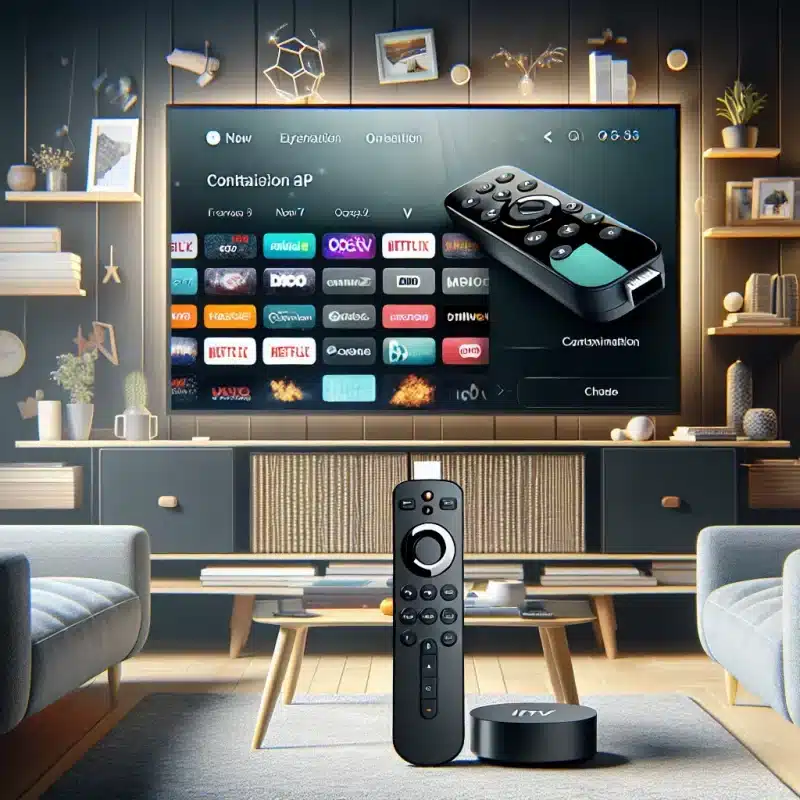
Check whether your Smart TV operating system supports the recommended player or whether you need a separate streaming device. Fire TV, Android TV, Roku, Apple TV, and other platforms can differ in app availability, remote control behavior, and playlist management. Verify the exact model where possible, not just the television brand.
Installation instructions should also explain what to do after the app is installed. A clear path from download to login is more useful than a long list of compatible device names.
Android, iOS, Windows, and macOS support
Mobile and desktop support is helpful for testing credentials, watching away from the television, or managing playlists. Still, an app may be available on a platform without offering identical features across every operating system. Check navigation, subtitles, audio controls, EPG access, and account management on the devices you use most.
Use official app stores or the provider’s documented installation route whenever possible. Avoid downloading unknown files simply because a search result promises a faster setup.
Web browsers and casting options
A browser player can be convenient when you do not want to install an app, but performance varies by browser, operating system, and stream format. Test playback in your preferred browser and check whether full-screen controls, subtitles, and audio selection work as expected.
Casting can add another layer of compatibility. Confirm whether the service supports Chromecast, AirPlay, or a device-specific casting method, and remember that the sending phone and receiving television may need to share the same network.
Multiple-device setup and accessibility
A household setup should account for remote controls, text size, captions, audio tracks, and simple navigation. People with different levels of technical confidence may use the same account, so instructions should be understandable without specialist knowledge. Accessibility is part of usability, not an afterthought.
The IPTV player resource list is useful when you want to explore players across web, mobile, desktop, and television platforms. Treat any third-party app as a separate security decision and review its permissions before signing in.
Review website security and service legitimacy
A polished design does not establish that an IPTV website is safe or properly authorized. Look for verifiable business information, transparent policies, sensible payment handling, and language that does not pressure you into an immediate purchase. Legal availability can also vary by country and by the rights attached to individual channels.
HTTPS, privacy policies, and data protection
The site should use HTTPS throughout checkout, login, and account management. Read the privacy policy to see what information is collected, why it is needed, how long it is retained, and whether it is shared with service providers. These questions apply to any online subscription, not only streaming services.
For a useful comparison point, the mobile privacy policy illustrates the kinds of collection, use, disclosure, and user-choice details a privacy document can address, even though it concerns a different service. A policy that is missing, copied carelessly, or impossible to locate deserves caution.
Secure payment methods and refund terms
Use a payment method that gives you transaction records and, where appropriate, dispute options. Before paying, confirm the currency, renewal schedule, billing descriptor, refund window, and procedure for requesting a refund. Never assume that a “money-back” statement applies automatically to every situation.
A trustworthy checkout should not require unnecessary personal information. It should also explain whether a trial converts to a paid plan and how cancellation affects access.
Licensing, copyright, and regional restrictions
An IPTV service needs appropriate rights for the content it distributes. As a customer, look for clear information about licensing, geographic availability, and restrictions rather than assuming that every channel is authorized everywhere. If a website encourages access to content without permission or avoids basic legal questions, step away.
Regional restrictions can be legitimate, but they should be disclosed. A service that explains where it operates gives you a better basis for deciding whether the subscription fits your needs.
Warning signs of unreliable IPTV websites
Several warning signs become more meaningful when they appear together. Watch for anonymous ownership, pressure to pay through unusual channels, vague refund language, copied testimonials, inconsistent pricing, and promises that sound impossible. You can also compare a site against a legitimate IPTV service guide for a broader checklist of safety, support, and content questions.
Do not share your main email password, banking login, or identity documents merely to activate a television subscription. When a provider cannot answer straightforward questions about billing or support, that uncertainty is itself useful information.
Compare pricing, support, and user experience
Price matters, but it should be considered alongside reliability and the time required to manage the service. A slightly higher plan may be easier to live with if its billing is clear and its support team responds when something fails. Compare like with like: duration, stream limits, VOD access, quality, and region all affect value.
Monthly, annual, and pay-as-you-go pricing
Monthly plans reduce commitment and make testing easier, while annual plans may lower the effective monthly cost. Pay-as-you-go arrangements can suit occasional viewers but may offer fewer protections or features. Calculate the complete cost, including taxes, renewal charges, and any separate player fees.
A simple comparison table keeps the decision grounded in your actual habits:
| Plan detail | What to check | Why it matters |
|---|---|---|
| Billing period | Monthly, annual, or one-time term | Shows your commitment and total cost |
| Stream allowance | Number of concurrent streams | Prevents household access problems |
| Content access | Live channels, VOD, and regional lineup | Connects price with what you watch |
| Support promise | Hours, channels, and response process | Sets expectations when issues occur |
After filling in the table, compare the plans against a normal month of viewing rather than an idealized list of features. The best value is the plan whose limits match your use without adding avoidable complexity.
Free trials and cancellation policies
A trial should let you test the channels, devices, and playback times that matter to you. Read whether the trial is limited by hours, channels, resolution, or simultaneous streams. Save the cancellation instructions and confirmation email before the trial ends.
The IPTV subscription guide offers another useful angle on credibility, pricing, reliability, security, and bandwidth requirements. Use such guidance to form questions, then verify the answers on the provider’s own site.
Customer support channels and response times
Support quality is easiest to judge before you need urgent help. Send a simple pre-sales question and note whether the answer is specific, polite, and consistent with the website. Check whether support is available by email, chat, ticket, or another channel, and whether the stated hours match your time zone.
IPTVON.ME describes a focus on dependable customer support and offers 24/7 support as part of its positioning. That is a documented service promise, not a reason to skip your own testing; responsiveness still matters most when it matches your actual experience.
Website navigation, account management, and billing clarity
You should be able to find plans, setup instructions, privacy terms, contact details, and cancellation information without hunting through unrelated pages. Account areas should show renewal dates, active devices or streams where relevant, and payment history. Clear wording reduces both mistakes and support requests.
A useful final check is to complete the customer journey mentally: find a plan, pay, receive access details, install a player, cancel, and request help. Any missing step is worth clarifying before you subscribe.
Set up and troubleshoot an IPTV service
Setup is usually straightforward when the provider, player, device, and network are compatible. Start with legally obtained access details and the official instructions for your platform. If you need a beginner-friendly walkthrough, the IPTV setup tutorial covers device selection, installation, subscription access, and common playback problems.
Installing a compatible IPTV player
Choose a player that supports the access method supplied by the service and is available through a trusted store or documented source. Install it on the device you plan to use, then review its privacy permissions and playback settings. Keep the app updated, but avoid unofficial modified versions.
Before entering credentials, confirm that the app name and developer are correct. A player typically does not provide channels by itself; it loads content supplied through your own authorized subscription or playlist.
Adding an M3U URL or Xtream Codes account
For an M3U setup, copy the complete playlist URL into the player’s playlist or network-stream field. For Xtream Codes, enter the server address, username, and password in their separate fields. Extra spaces, incorrect capitalization, and truncated URLs are common causes of failed logins.
Add one device first and test a few channels before repeating the process elsewhere. If live TV loads but VOD or the EPG does not, the issue may be a missing server field, an incomplete playlist, or a feature that the plan does not include.
Improving network performance and reducing buffering
Start with the connection, not just the app. If possible, use Ethernet or a strong 5 GHz Wi-Fi signal, reduce heavy downloads during viewing, and restart the router when performance has degraded. Test another channel and another time of day to distinguish a home-network problem from a service-side problem.
A practical troubleshooting sequence helps prevent random changes:
- Check whether other websites and streaming apps are working normally.
- Restart the player, device, and network equipment in that order.
- Test a lower-quality stream or a different channel.
- Confirm that the subscription has not reached its stream or device limit.
- Contact support with the channel, time, device, and error details.
This sequence produces useful information for support and often resolves simple connection issues without changing several settings at once. IPTVON.ME positions its service around high-quality streaming, anti-freeze technology, and a 99% uptime guarantee; those are stated positioning claims, while your own tests remain the best measure of day-to-day performance.
Protecting accounts and updating apps safely
Use a unique password for the IPTV account and store playlist URLs as carefully as passwords. Sign out of shared devices when appropriate, remove old devices, and do not forward credentials in public chats. Keep the operating system, player, and router firmware current through trusted update channels.
A VPN may be relevant for privacy on some networks, but it does not make unauthorized content legal or guarantee better performance. Use one only when it is lawful in your location and understand that it can sometimes reduce speed or complicate troubleshooting.
Conclusion
The right IPTV website is the one that fits your content needs, devices, budget, legal expectations, and tolerance for technical setup. Compare real plan terms, test playback, protect your account, and judge support by clear evidence rather than impressive promises. A careful check before payment can make the difference between a smooth home viewing experience and a subscription that creates more work than value.
Frequently Asked Questions
What is an IPTV website?
An IPTV website is an online service or portal that may provide live television, video-on-demand access, subscription details, playlists, credentials, or setup support for internet-based television viewing.
Is every IPTV service legal?
No. Legality depends on the provider’s rights to distribute the content and on the laws and regional restrictions that apply where you live. Look for clear licensing information and avoid services that encourage unauthorized access.
What should I test during an IPTV trial?
Test the channels you actually watch, several devices, peak viewing times, guide data, VOD access, login behavior, and the service’s support response. Also confirm the trial’s limits and cancellation terms.
Why does IPTV buffer?
Buffering can result from weak Wi-Fi, network congestion, insufficient bandwidth, overloaded service infrastructure, device limitations, or a problem with a particular stream. Comparing channels and testing at different times can help isolate the cause.
Do I need a special device for IPTV?
Not always. Many services can work through compatible Smart TVs, streaming devices, phones, tablets, computers, or web browsers, but the exact player and access method determine compatibility.
What are M3U and Xtream Codes?
M3U is commonly used for a playlist URL or file, while Xtream Codes access usually uses a server address plus account credentials. Both require a compatible IPTV player and authorized content access.
Should I choose a monthly or annual plan?
A monthly plan is generally easier to test and cancel, while an annual plan may reduce the effective monthly price. Compare the total cost, refund rules, stream limits, and service reliability before choosing a longer commitment.