Estimated reading time: 12 minutes
Key Takeaways
- Understanding IPTV: IPTV delivers content over the internet, providing access to various channels and on-demand content.
- Legal Considerations: Choosing legal IPTV services supports content creators and protects users from potential legal consequences.
- Identifying Providers: Spot legitimate IPTV services by checking their licensing, customer support, and presence on official app stores.
- Safety Practices: Use trusted sources and avoid illegal services that may expose you to malware and legal risks.
- Comparative Evaluation: Assess IPTV providers based on channel variety, pricing transparency, and trial policies.
Table of Contents
- Introduction
- What is IPTV?
- The US Legal Landscape for IPTV
- How to Identify Legal IPTV Providers in the USA
- Firestick IPTV App Installation Guide
- Best Legal IPTV Providers in USA for Firestick
- IPTV Service Comparison: What to Evaluate
- Device-Specific IPTV Setup and Considerations
- Understanding IPTV APK vs Legal IPTV Apps
- Evaluating IPTV Reviews: Avoiding Misleading Information
- Privacy, Security, and Best Practices for Legal IPTV
- Summary and Action Steps for Legal IPTV
- Frequently Asked Questions
Introduction
In the rapidly evolving world of television, IPTV (Internet Protocol Television) stands out by delivering content directly over the internet, making traditional cable boxes seem archaic. This article will explore the nuances of IPTV, legal versus illegal services, and essential guidance for navigating this space safely and effectively. For a deeper dive into the legal aspects, check this IPTV legality guide.
What is IPTV?
IPTV is a modern way of watching television channels and on-demand content using internet protocols rather than traditional satellite or cable systems. Here are key features:
- Content streamed directly on devices like Smart TVs, computers, and mobile devices.
- Offers flexibility with viewing times and options for on-demand content.
- Usability across different platforms—including IPTV on Roku and IPTV on smart TVs.
The US Legal Landscape for IPTV
Understanding the legal implications of IPTV is paramount for both providers and users. According to the FCC, IPTV is legal when providers obtain proper licensing for the content they deliver. Here are some insights:
- Providers must secure rights from content owners like Disney or NBC.
- Illegal IPTV services operate outside of this framework and can expose users to legal risks.
- Licensing is often complex and varies regionally, leading to inconsistencies in content access.
How to Identify Legal IPTV Providers in the USA
Smart consumers can recognize legitimate IPTV services through several indicators:
- Presence on Official App Stores: Look for services listed in reputable app stores, as they undergo rigorous vetting.
- Clear Licensing Information: Providers should explicitly state their partnerships and licenses on their websites.
- Professional Business Practices: Legitimate services provide customer support and clear billing practices.
- Reasonable Pricing: Be cautious of services promising extensive channels at unrealistically low prices.
For a comprehensive overview, refer to our Legal IPTV Guide.
Firestick IPTV App Installation Guide
Installing legal IPTV services on your Firestick is straightforward:
- Navigate to the Firestick home screen.
- Select “Find” or use the search function to locate your desired app.
- Click “Download” or “Get” to install it.
- Open the app and log in with your credentials.
- Start enjoying perfectly legal IPTV content!
For more detailed installations across all devices, see our full Installation Guide.
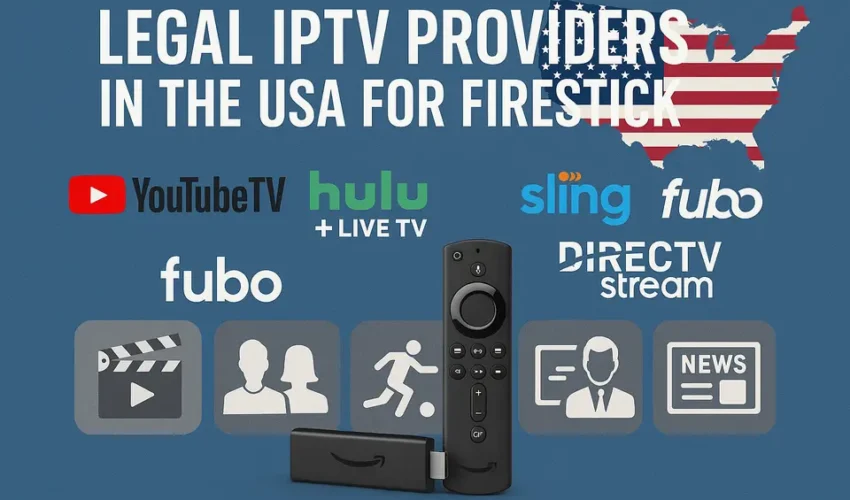
Best Legal IPTV Providers in USA for Firestick
Here are some of the top choices:
- Fubo TV: Best for sports enthusiasts, offering over 400 channels.
- YouTube TV: Provides a robust 100+ channels with unlimited DVR storage.
- Sling TV: Budget-friendly options starting from $23 per month.
- Pluto TV: A free option with legal, ad-supported streaming.
For more details on services, visit our Free IPTV Guide.
IPTV Service Comparison: What to Evaluate
When comparing IPTV services, focus on these areas:
- Channel Lineup: Ensure they offer channels that you frequently watch.
- On-Demand Library: Evaluate the selection of movies and shows available.
- Technical Features: Look for support for multiple streams, 4K, and good DVR options.
- Trial Policies: Free trials are essential for testing service quality before committing.
Device-Specific IPTV Setup and Considerations
Each device type has its unique installation advantages:
- Amazon Firestick: Quick and easy to set up with seamless integration.
- Roku: Simple installation through its Channel Store.
- Smart TVs: Often come with IPTV apps pre-installed or available for easy download.
- Consoles: Devices like Xbox also provide strong compatibility for IPTV apps.
Explore our Device Compatibility Guide for more.
Understanding IPTV APK vs Legal IPTV Apps
It’s important to differentiate between legal IPTV apps and third-party APKs:
- Legal Apps: Downloaded from official app stores and regularly updated.
- APKs: Often sideloaded and carry potential risks like malware.
- Always prioritize downloading from trusted sources.
Evaluating IPTV Reviews: Avoiding Misleading Information
When reading reviews, ensure they are trustworthy:
- Look for clear distinctions between legal and illegal services.
- Be cautious of red flags like unrealistic channel counts or heavy promotion of specific illegal services.
- Cross-reference multiple sources for a balanced view.
For further insight, visit our Review Best Services article.
Privacy, Security, and Best Practices for Legal IPTV
Prioritize safety while using IPTV:
- Install apps from official stores to reduce risks.
- Utilize strong passwords and enable two-factor authentication.
- Monitor account activity regularly for unauthorized access.
Reference our Troubleshooting Guide for more best practices.
Summary and Action Steps for Legal IPTV
To kickstart your journey with legal IPTV:
- Check for official app store presence.
- Verify licensing and partnerships.
- Look for reasonable pricing reflecting content rights.
- Test services through free trials.
Visit our resources for detailed comparisons and guides on choosing the right provider.
Frequently Asked Questions
Is IPTV legal in the USA?
Yes, IPTV is legal in the USA as long as providers have the necessary licenses from content owners.
How can I identify a legal IPTV provider?
Look for providers with clear licensing information and those available in official app stores.
What are the risks of using illegal IPTV services?
Illegal services can expose users to malware, legal action, and a lack of customer support.
Can I use a VPN with legal IPTV?
While VPNs are legal to use, reputable IPTV services should not require them for content access.
What should I do if I receive a DMCA notice?
If you receive a DMCA notice, cease accessing the specified content and consider consulting legal advice.