Estimated reading time: 8 minutes
Key Takeaways
- Licensing is Crucial: Legal IPTV services maintain proper licensing agreements with content creators.
- Variety of Options: There are several legal IPTV providers available for Firestick users.
- Compatibility: Many legal IPTV services are compatible with various devices beyond Firestick.
- Security Matters: Always prioritize your safety and privacy when using IPTV services.
- Cost Ranges: Legal IPTV subscriptions can range from $25 to $70, depending on features.
Table of Contents
- Understanding IPTV Basics and Legality in the USA
- Key Features of Legal IPTV Services
- Top Legal IPTV Services Compatible with Firestick
- Setting Up Legal IPTV on Your Firestick
- Device Compatibility Beyond Firestick
- Comparing Legal IPTV Services
- Safety and Privacy Considerations
- Frequently Asked Questions
Understanding IPTV Basics and Legality in the USA
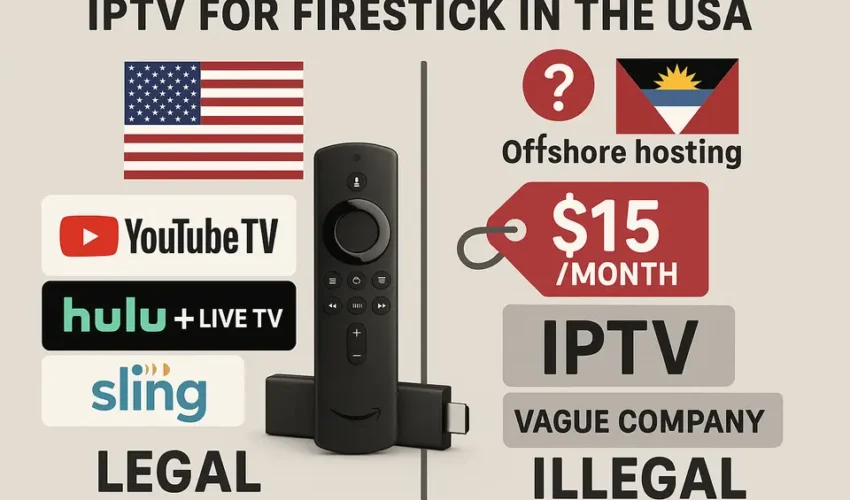
IPTV (Internet Protocol Television) transforms how we watch TV by streaming content through internet connections rather than traditional cable or satellite methods. For Firestick users seeking legal options, it’s crucial to understand what makes an IPTV service legitimate in the United States. Learn more here.
A legal IPTV service obtains proper licensing agreements with content creators and broadcasters. These services pay royalties and follow copyright laws, ensuring content creators receive fair compensation for their work. Discover the details here.
Key Features of Legal IPTV Services
- Valid licensing agreements with content providers
- Transparent pricing and terms of service
- Reliable customer support
- High-quality streaming infrastructure
- Regular platform updates and maintenance
Top Legal IPTV Services Compatible with Firestick
Several reputable IPTV providers offer excellent service for Firestick users:
YouTube TV
- 85+ channels including local networks
- Unlimited cloud DVR storage
- Up to 6 accounts per household
- Easy Firestick installation through Amazon App Store
Sling TV
- Flexible channel packages starting at $35/month
- 50 hours of cloud DVR included
- Multiple simultaneous streams
- Sports, entertainment, and news options
fuboTV
- Strong sports programming focus
- 100+ channels available
- 1000 hours of cloud DVR
- Excellent streaming quality
Setting Up Legal IPTV on Your Firestick
Installing legal IPTV services on Firestick is straightforward:
- Navigate to the Amazon App Store
- Search for your chosen IPTV provider’s app
- Download and install the application
- Sign in with your subscription credentials
- Start streaming your content
Get a comprehensive setup guide here.
Device Compatibility Beyond Firestick
Legal IPTV services typically support multiple devices:
- Smart TVs (Samsung, LG, Sony)
- Roku devices
- Gaming consoles (Xbox, PlayStation)
- Mobile devices (iOS, Android)
- Web browsers
Explore device compatibility here.
Comparing Legal IPTV Services
Consider these factors when choosing a provider:
- Channel selection and packages
- Monthly cost and contract requirements
- Streaming quality and reliability
- DVR capabilities
- Number of simultaneous streams allowed
- Additional features (parental controls, user profiles)
Read the ultimate comparison guide here.
Safety and Privacy Considerations
Protect yourself while using IPTV services:
- Use strong, unique passwords
- Enable two-factor authentication when available
- Keep your Firestick software updated
- Monitor your account for unauthorized access
- Use secure payment methods
Learn more about safety guidelines here.
Frequently Asked Questions
Is IPTV legal in the USA?
Yes, IPTV is legal when using authorized services that have proper licensing agreements with content providers. Learn more here.
How much does legal IPTV cost?
Legal IPTV services typically range from $25 to $70 per month, depending on the package and features selected. Get more pricing insights here.
Can I record shows with legal IPTV?
Most legal providers offer cloud DVR capabilities, with storage varying by service and subscription tier.
Making Your Final Choice
Select a legal IPTV provider by:
- Determining your must-have channels
- Setting a realistic budget
- Testing services through free trials
- Reading current user reviews
- Checking device compatibility
- Verifying internet speed requirements
Remember that while illegal IPTV services might seem attractive due to lower prices, they put you at risk legally and expose you to potential security threats. Stick with authorized providers to ensure a safe, reliable streaming experience.